 Jobboy
Introduction: Why Ergonomics Matter for Location-Independent Workers
Digital nomads and freelancers often juggle remote jobs from cafes, co-working spaces, and temporary rentals. In 2026, the gig economy continues to reward those who prioritize long-term health alongside productivity. Poor posture from makeshift setups leads to chronic pain, reduced focus, and burnout. This guide delivers actionable ergonomic home office ideas tailored for small spaces, sustainable materials, and portable solutions that support a mobile lifestyle. Whether you work from a studio apartment in a bustling city or a quiet villa abroad, investing time in your workspace setup can prevent musculoskeletal issues and sustain high performance across multiple projects.
Many remote professionals underestimate how daily habits compound over months of travel. By focusing on adjustable furniture, proper lighting, and tech accessories that travel easily, you create consistency no matter the location. This approach not only boosts immediate comfort but also supports career longevity in an economy where side hustles and contract work are common.
Key 2026 Trends in Ergonomic Design for Nomads
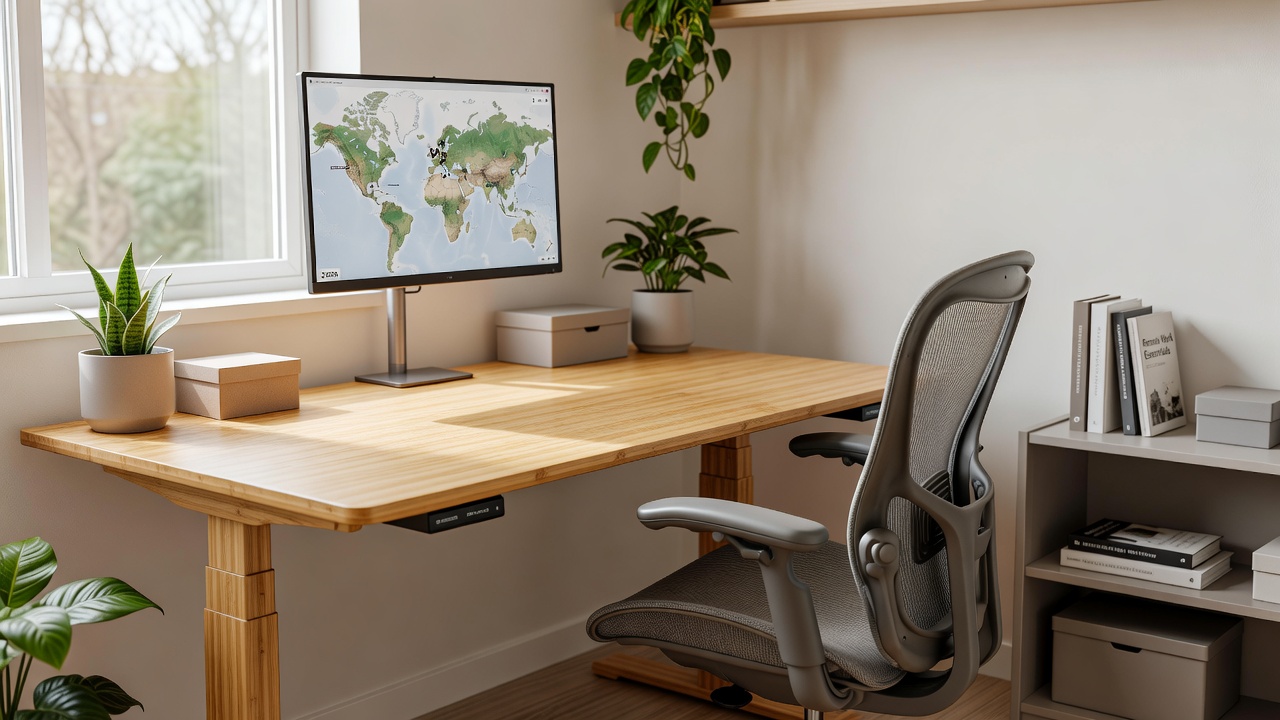
Sustainability and portability dominate 2026 trends. Manufacturers increasingly use recycled plastics, bamboo, and responsibly sourced wood. Portable monitor arms and foldable standing desks allow seamless transitions between locations. These innovations help nomads maintain consistent ergonomics whether working from a studio apartment or a short-term rental abroad. Modular designs that pack into carry-on luggage have become especially popular among those who change cities every few months.
Budget vs Premium Options Comparison
Budget-friendly ergonomic chairs start with solid lumbar support and adjustable height. They often feature basic mesh backs and simple tilt mechanisms that still provide adequate spinal alignment for eight-hour workdays. Premium models add memory foam, 4D armrests, and breathable mesh that adapts to body temperature during intense focus sessions. For desks, a simple adjustable converter offers value and fits on existing tables, while premium electric standing desks provide smoother height changes and integrated cable management. Nomads often find the best results by mixing budget bases with targeted premium add-ons like supportive cushions or anti-fatigue mats. This hybrid strategy keeps costs manageable while delivering professional-grade support.
Essential Gear Checklist for Digital Nomads
Creating a functional setup begins with selecting versatile items that serve multiple purposes. Consider this expanded checklist of essentials:
- Adjustable chair with lumbar support and armrests for core posture maintenance
- Standing desk converter or portable desk that folds for travel
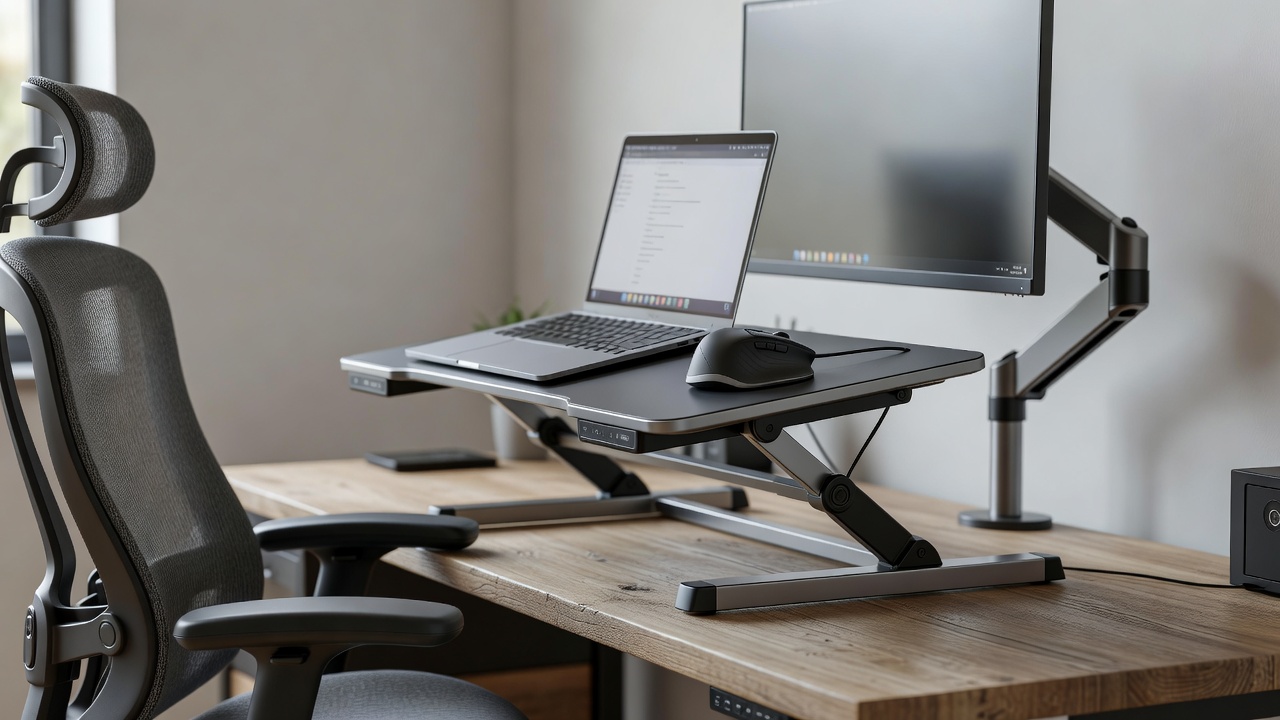
- External monitor or laptop stand positioned at eye level to reduce neck strain
- Ergonomic keyboard and vertical mouse to minimize wrist extension
- Task lighting with adjustable color temperature for different times of day
- Footrest and monitor arm for small desks where space is limited
- Portable blue-light blocking glasses for evening work sessions
- Sustainable yoga mat for mobility breaks and quick stretching routines
- Under-desk cable organizer to maintain a clean, trip-free environment
Step-by-Step Setup Guide for Small Spaces
Begin by measuring your available area and identifying natural light sources. Position your desk near a window for natural light while avoiding direct glare on screens. Place the chair so feet rest flat on the floor or a footrest, with knees at roughly 90 degrees. Align your monitor so the top sits at or slightly below eye level, using a stack of books or a dedicated stand if needed. Next, incorporate a standing option by testing a converter on your current surface. Alternate between sitting and standing every 30-45 minutes to promote circulation. Add a monitor arm to free desk space and improve posture flexibility. Finally, integrate lighting: use a combination of overhead and task lamps with warm-to-cool adjustable settings that reduce eye fatigue during long video calls or writing sessions. Test the full arrangement for one full workday and make micro-adjustments based on how your body feels.
Lighting and Tech Accessories That Boost Productivity
Proper lighting reduces eye strain during long work sessions. Choose LED lamps with 3000K to 6500K color temperature options so you can shift from energizing cool light in the morning to warmer tones in the afternoon. Tech accessories such as wireless charging stands and cable organizers keep the workspace tidy and reduce distractions. For side hustle tools, pair a portable second monitor with a lightweight laptop sleeve to maintain dual-screen setups on the go. Real-world examples from online professionals show that adding a vertical mouse and split keyboard often resolves wrist pain within weeks. Many nomads report improved focus after switching to sustainable bamboo monitor stands that double as travel trays. These small upgrades compound into noticeable gains in daily output and reduced discomfort.
Integrating Side Hustle Tools Without Clutter
Digital nomads frequently manage multiple income streams simultaneously. Use modular accessories like stackable organizers and under-desk drawers to store equipment for different projects. Portable power banks and compact printers support client deliverables without permanent fixtures. This approach keeps the core ergonomic setup intact while accommodating varied workflows. For instance, a freelancer handling both content creation and virtual assistance might dedicate one drawer to microphone gear and another to client-specific notebooks, all while preserving clear desk space for posture-focused work.
Mobility and Exercise Routines for Long-Term Health
Ergonomics extend beyond furniture to include movement throughout the day. Incorporate short mobility breaks using a yoga mat for hip openers, shoulder rolls, and neck stretches. Simple routines like the cat-cow pose or seated spinal twists can counteract the effects of prolonged sitting. Many experienced nomads schedule these breaks between client meetings using phone timers. Over time, consistent movement prevents stiffness and supports better focus when returning to tasks.
Common Mistakes to Avoid
- Using dining chairs without lumbar support for extended hours, leading to lower back pain
- Placing monitors too low, causing forward head posture and neck strain
- Ignoring cable management that creates trip hazards in tight living quarters
- Skipping mobility breaks during intense work periods, which reduces circulation
- Overlooking ventilation and temperature control that affects comfort in small rooms
FAQs: Addressing Posture, Mobility, and Pain Points
How can I maintain good posture in a tiny apartment?
Use a wall-mounted monitor arm and a compact standing desk converter. Sit with hips slightly higher than knees and keep shoulders relaxed. Refer to guidance from health authorities like the Mayo Clinic for additional posture recommendations.
What are the best portable solutions for frequent travelers?
Foldable laptop stands, inflatable lumbar cushions, and lightweight ergonomic keyboards pack easily into carry-on luggage while supporting proper alignment. These items allow you to recreate your home setup quickly in new environments.
How often should I change positions?
Alternate between sitting, standing, and short walks every 30 minutes. Incorporate simple stretches using a yoga mat to maintain mobility and prevent muscle fatigue.
Are sustainable materials worth the investment?
Yes. Recycled and bamboo options often match or exceed traditional durability while reducing environmental impact, aligning with 2026 values among remote workers. They also tend to offer better long-term value through resilience to frequent moves.
What should I do if I experience persistent back pain?
Consult a healthcare professional and reassess your chair height and monitor placement. Resources from organizations such as the World Health Organization emphasize the importance of early intervention for musculoskeletal concerns.
Conclusion
Building an ergonomic home office supports both health and career longevity in the evolving gig economy. By combining affordable essentials with portable, sustainable choices, digital nomads can create productive workspaces anywhere. Start with the checklist above, implement the step-by-step guide, and adjust based on your unique space and workflow for lasting results. Consistent attention to these details transforms temporary setups into reliable foundations for professional success.

No comments yet. Be the first!