 Jobboy

Introduction to Advanced Time Blocking
Mid-career professionals face unique challenges in 2026 as they balance demanding roles with the need for continuous growth amid evolving workplace dynamics. Advanced time blocking goes beyond basic scheduling by strategically allocating focused periods for career planning, skill development, and relationship building. This method helps accelerate promotions and transitions by treating time as a finite resource aligned with long-term objectives. In an era of hybrid and remote work, where distractions abound, this approach provides the structure necessary to stand out for advancement opportunities.
Unlike simple to-do lists or reactive daily planning, advanced time blocking incorporates prioritization frameworks, tool integrations, and adaptability for remote work environments. It draws from proven productivity principles while tailoring them to career acceleration goals. Professionals who master this technique often report faster progression because it forces intentional allocation of hours toward high-impact activities rather than letting urgent but low-value tasks dominate the calendar.
Integrating Career Planning Blocks with Upskilling Sessions
Effective time blocking starts with mapping career milestones into dedicated calendar blocks. Professionals should allocate 2-3 hours weekly for strategic planning sessions focused on promotion pathways and industry trends. These blocks pair naturally with upskilling periods, such as 90-minute deep work sessions on new certifications or AI tools relevant to their field. Integration works best when planning blocks precede upskilling ones, allowing insights from market research to directly inform what skills to prioritize next.
Real-world examples from remote workers show success when blocks are color-coded: blue for planning, green for learning. One software engineer reported advancing to a senior role by dedicating Monday mornings to upskilling in cloud architecture while reserving Friday afternoons for networking outreach. Another remote project coordinator used evening blocks to complete a leadership certification, which directly contributed to her securing a management position within eight months. The key is consistency—treat these blocks as non-negotiable meetings with your future self.
Essential Tools: Calendar Apps and Notion Templates
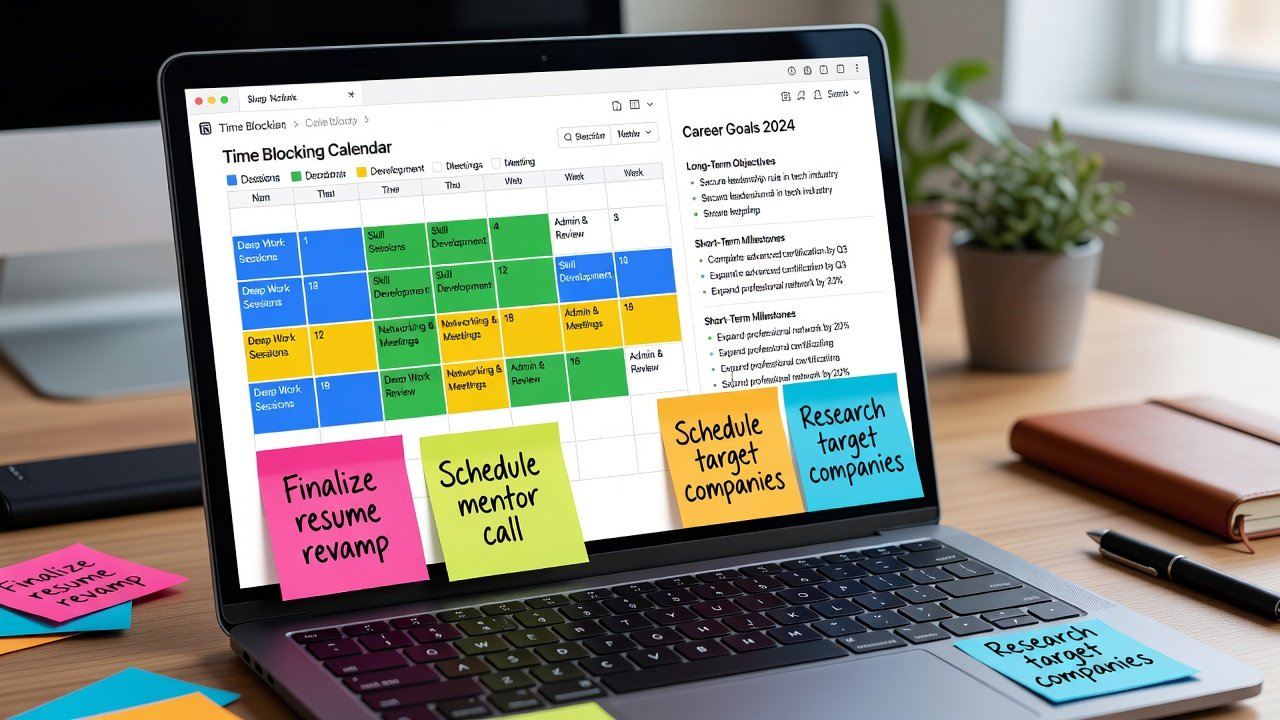
Calendar applications like Google Calendar provide the foundation for time blocking with recurring events and reminders. For deeper customization, Notion templates allow users to create visual dashboards tracking blocked time against career metrics such as completed courses or connections made. These tools together enable seamless synchronization where calendar events pull from Notion databases, reducing manual entry and ensuring alignment between daily execution and strategic goals.
Integration between tools enhances efficiency—sync Notion databases with calendar entries to automatically populate blocks based on priority levels. Remote professionals often combine these with project management platforms for seamless workflow. Additional features like time-tracking add-ons can provide data on actual time spent versus planned, helping refine future blocks for maximum career impact.
Step-by-Step Setup Routines
Follow this routine to implement advanced time blocking:
- Review your current schedule and identify 3-5 high-impact career goals for 2026, breaking them into quarterly milestones.
- Divide your week into themed blocks: mornings for deep work like upskilling, afternoons for collaborative tasks such as team meetings or client calls.
- Use templates in Notion to log each block's purpose, expected outcomes, and key performance indicators tied to promotions.
- Schedule weekly reviews every Sunday evening to adjust blocks based on progress and emerging opportunities.
- Incorporate buffers of 15-30 minutes between blocks to handle transitions or urgent matters without derailing the entire day.
- Test the system for two weeks and iterate based on what feels sustainable.
This setup typically takes 2-3 hours initially but saves significant time long-term through reduced context switching and clearer focus on advancement activities.
Prioritization Frameworks for Promotions and Networking
Apply frameworks like the Eisenhower Matrix adapted for career growth: categorize tasks as urgent-important (promotion prep), important-not urgent (networking), and so on. Dedicate 20% of blocked time to high-leverage activities such as mentoring sessions or internal visibility projects that directly influence promotion decisions. For networking, block 5 hours monthly for targeted outreach, prioritizing LinkedIn connections and virtual events that align with promotion targets. Track results in a simple spreadsheet to refine future blocks and measure return on time invested.
Another useful framework involves the 80/20 rule applied to career blocks, where 80% of time focuses on core responsibilities and 20% on acceleration activities. This ensures balance while steadily building the case for advancement.
Real-World Examples from Remote Workers
A marketing manager in a fully remote tech company used time blocking to secure a director position within 9 months. She blocked 4 hours weekly for portfolio building and 2 hours for industry webinars, resulting in two internal recommendations. A data analyst who transitioned careers by reserving evenings for gig projects while maintaining core job blocks found that the discipline helped him land a higher-paying role faster than expected. Similarly, a remote HR specialist allocated specific Thursday blocks for professional association involvement, which led to a speaking invitation and subsequent promotion.
Comparing Time Blocking with Other Productivity Systems
Time blocking outperforms the Pomodoro Technique for complex career tasks because it emphasizes context over short sprints, allowing deeper immersion in strategic planning. Unlike Getting Things Done (GTD), which focuses on capture and next actions, advanced time blocking adds temporal structure essential for promotion timelines. Kanban boards excel at visualization but lack the enforced focus periods that prevent multitasking and ensure networking or upskilling receive dedicated attention. Professionals switching from these systems report 30-40% gains in goal completion when adopting hybrid approaches that incorporate time blocks as the backbone of their workflow.
Common Pitfalls and How to Avoid Them
- Over-scheduling: Leave 10-15% of the week unscheduled for flexibility and unexpected opportunities.
- Ignoring energy levels: Align demanding blocks like upskilling with peak focus times, often mornings or early afternoons.
- Neglecting reviews: Without weekly audits, blocks become outdated and ineffective, stalling career momentum.
- Tool overload: Start with one calendar and one Notion workspace before expanding to avoid decision fatigue.
- Failing to communicate boundaries: Share your blocked schedule with colleagues to minimize interruptions during focused periods.
Conclusion
Advanced time blocking equips mid-career professionals with the structure needed for 2026 career acceleration. By integrating planning, upskilling, and networking into deliberate blocks supported by robust tools, individuals can achieve measurable progress toward promotions and new opportunities while maintaining work-life balance in remote settings.
FAQ
How do I adapt time blocks for gig work?
Treat gig projects as priority blocks alongside your main role, allocating 10-15 hours weekly based on income goals while protecting core career development time from encroachment.
What if my career changes mid-year?
Reassess goals during monthly reviews and shift blocks accordingly, such as increasing networking time during transitions or pivoting upskilling topics to match new directions.
Can time blocking work with unpredictable schedules?
Yes, by building in reactive blocks and using mobile apps for on-the-go adjustments while maintaining core weekly themes for consistency.
How long should initial blocks be for beginners?
Start with 60-90 minute sessions and gradually extend as focus improves, ensuring the system feels motivating rather than restrictive from the outset.

No comments yet. Be the first!