 Jobboy
Introduction
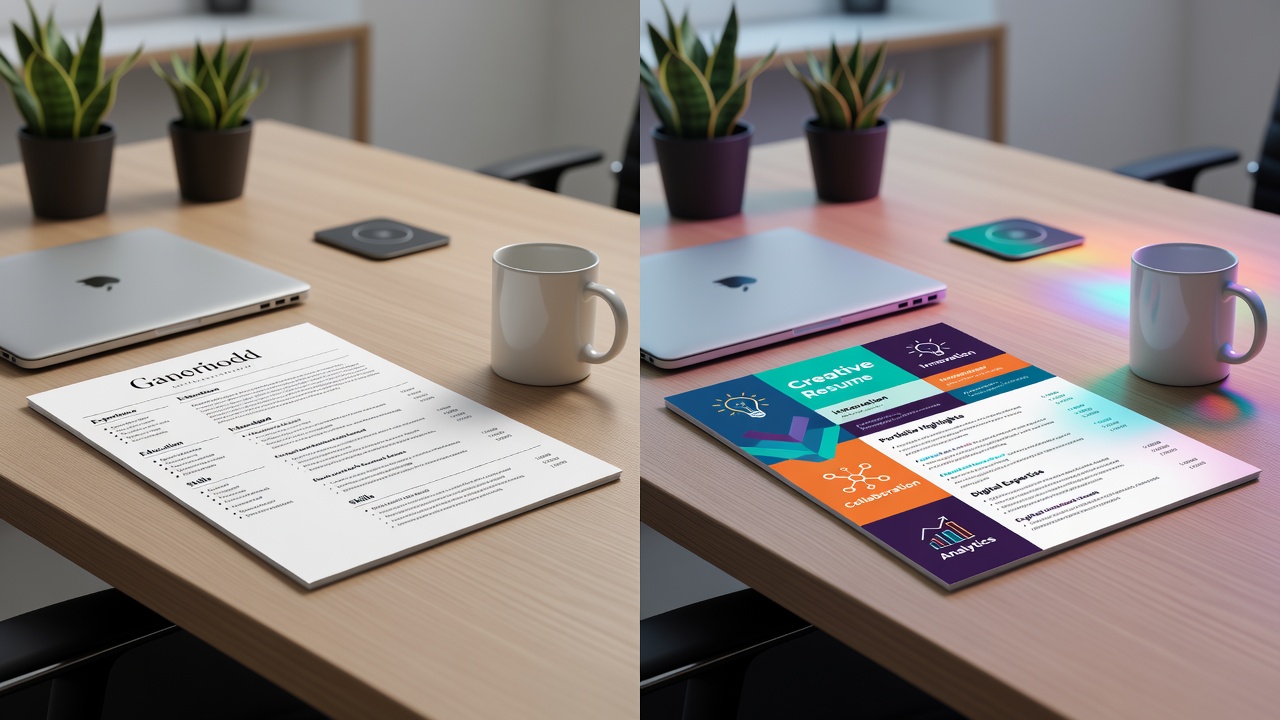
Job seekers in 2026 face a critical choice when formatting their resumes: stick with the traditional, clean layout or opt for a creative design that stands out. This decision impacts how recruiters and applicant tracking systems (ATS) perceive your application. Understanding the differences helps tailor your resume for specific roles and industries. The job market continues to evolve with hybrid work models and increased use of AI screening tools, making format selection more important than ever. A well-chosen resume format can increase interview chances by highlighting relevant strengths effectively while avoiding common pitfalls that lead to automatic rejection.
The traditional resume emphasizes clarity and scannability, while creative resumes leverage visuals to showcase personality and skills. Both have strengths depending on the job type, company culture, and submission method. This guide provides an in-depth comparison, including detailed pros and cons, real-world examples, decision frameworks, and actionable blending strategies to help you craft a resume that performs well in 2026.
Understanding Traditional Resume Formats
Traditional resumes follow a standard structure with sections like contact information, professional summary, work experience, education, and skills. They use simple fonts such as Arial or Calibri, consistent formatting, and plenty of white space. This format has been the industry standard for decades because it prioritizes readability for human reviewers and machines alike. Most hiring managers expect this layout when screening for roles in established organizations where professionalism and attention to detail are valued above artistic expression.
Pros of Traditional Resumes
- High ATS compatibility ensures your application passes automated filters without issues, as standard headings and linear text are easy for software to parse.
- Easy to read quickly, which suits busy recruiters scanning dozens of applications in under 30 seconds each.
- Professional appearance that works across all industries, especially corporate, government, finance, and healthcare sectors where conformity signals reliability.
- Simple to update and maintain without specialized design tools, allowing focus on content quality rather than layout.
- Universally accepted file formats reduce the risk of technical glitches during submission through online portals.
Cons of Traditional Resumes
- Can appear generic and fail to capture attention in creative fields where differentiation is key to standing out from hundreds of applicants.
- Limited opportunity to demonstrate design or technical skills visually, which may undervalue candidates applying for roles that require portfolio evidence.
- May not reflect innovation or out-of-the-box thinking valued by startups and forward-thinking companies in tech or marketing.
Exploring Creative Resume Formats
Creative resumes incorporate graphics, color accents, infographics, icons, and non-linear layouts. They often use tools like Canva or Adobe InDesign to present information in visually engaging ways. This style suits roles where personal branding and creativity matter. In 2026, creative formats are increasingly popular among freelancers and professionals in digital fields, but they require careful execution to remain functional across different devices and screen sizes.
Pros of Creative Resumes
- Grabs attention immediately and showcases personality or design skills through thoughtful use of visuals that align with the target brand.
- Effective for highlighting achievements through visual elements like charts or timelines that make quantifiable results more memorable.
- Ideal for demonstrating creativity in fields such as marketing, design, advertising, or tech startups where innovation is a core requirement.
- Can include embedded links to online portfolios or LinkedIn profiles for a more interactive experience when submitted as PDF.
Cons of Creative Resumes
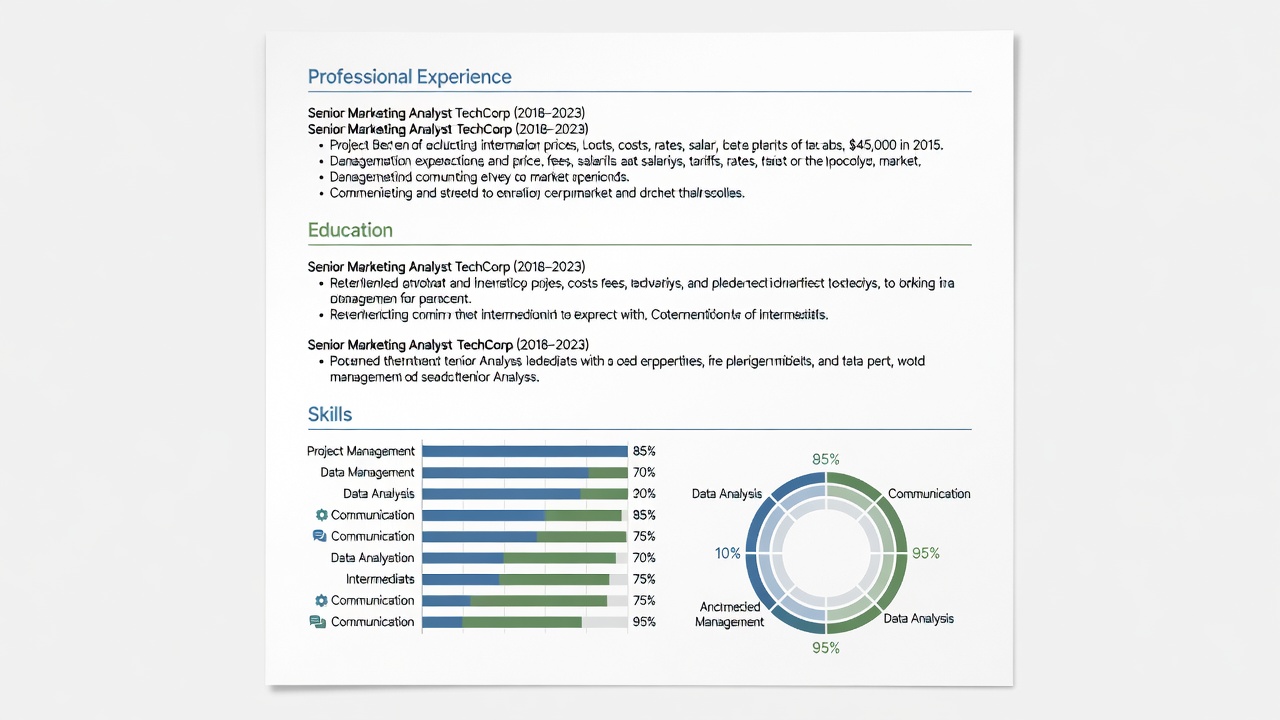
- Lower ATS compatibility, as complex designs, tables, and images can confuse parsing software and cause important information to be lost.
- Risk of appearing unprofessional if overdone or poorly executed, potentially signaling a lack of attention to corporate norms.
- May not align with conservative industries like finance, law, or education where traditional expectations dominate the hiring process.
ATS Compatibility: A Key 2026 Consideration
Most large companies use ATS software to screen resumes before human eyes see them. Traditional formats with standard headings and no tables or images score higher in these systems. Creative resumes require careful testing or submission as both PDF and Word versions to maximize chances. According to LinkedIn, optimizing for ATS remains essential even in creative industries because many organizations still rely on automated filters. Practical steps include using standard section titles like “Work Experience” instead of creative alternatives, avoiding text boxes, and ensuring contact details appear in the header without graphics. Testing your resume through free ATS simulators can reveal parsing issues before you submit applications.
Industry Suitability and Real-World Examples
Traditional resumes excel in banking, healthcare, education, and legal sectors. For example, a finance analyst might use a one-page traditional format listing quantified achievements in bullet points under each role, such as “Increased portfolio returns by 12% in Q3 2025.” This approach allows recruiters to quickly verify credentials and experience without distraction.
Creative resumes shine in graphic design, advertising, and social media management. A UX designer could use color-coded sections and portfolio links integrated into an infographic-style layout to display projects visually, making skills like wireframing or user testing immediately apparent. Another example is a content strategist using subtle icons next to achievements to represent campaign metrics, helping the resume feel more dynamic while still including all necessary text for ATS review.
Decision-Making Steps Based on Job Type
- Research the company and role on their career page to gauge culture and expectations, noting any mentions of design skills or application instructions.
- Check if the job posting mentions ATS or requests specific file types, such as PDF only or Word documents for editing.
- Review the industry norms by looking at sample resumes from professionals in similar positions on platforms like Indeed.
- Consider your personal strengths: opt for creative if your skills are visual or portfolio-based; choose traditional if experience and achievements are the primary focus.
- Test your resume by submitting to online ATS checkers and seeking feedback from mentors in the target field before finalizing.
- Evaluate the company size—larger corporations often prefer traditional formats while smaller agencies may welcome creativity.
Practical Tips for Blending Both Styles
You can combine elements without sacrificing readability. Use a traditional structure with subtle color accents for headings to add visual interest. Incorporate one infographic for skills or a timeline for career progression to highlight growth. Always prioritize scannability and keep the design under two pages. Save files in PDF format unless Word is requested, and name them professionally like FirstName_LastName_Resume.pdf. Additional advice includes limiting color to two shades, ensuring all text remains selectable, and providing a plain-text version for ATS-heavy applications. Many candidates succeed by starting with a traditional template and adding one creative element, such as a skills bar chart, that still parses correctly.
Common Mistakes to Avoid
Overloading creative resumes with too many fonts or animations can make them unreadable on mobile devices. Ignoring ATS requirements often leads to qualified candidates being filtered out. Failing to tailor the format to the specific job is another frequent error—always customize based on the employer rather than using a one-size-fits-all approach. Finally, neglecting to proofread for consistency in spacing or alignment undermines even the most polished designs.
Conclusion
Choosing between traditional and creative resume formats in 2026 requires balancing ATS compatibility, industry expectations, and personal branding goals. By understanding the pros and cons, reviewing real examples, and following structured decision steps, job seekers can select or blend formats that maximize impact. The most successful resumes remain clear, relevant, and tailored regardless of visual style.
FAQ
Do recruiters prefer traditional or creative resumes in 2026?
It depends on the role. Recruiters in traditional industries favor clean formats, while creative fields appreciate visual resumes that demonstrate relevant skills. Always research the specific employer.
What file types work best for each format?
Traditional resumes are safest as .docx or PDF. Creative resumes should always be PDF to preserve layout, with a plain-text version ready for ATS portals. Check the job posting for preferences.
Can I use a creative resume for an ATS-heavy application?
Yes, but simplify graphics and test compatibility first. Many applicants submit a hybrid version or provide both formats when allowed by the application system.
How long should a resume be in either format?
One page is ideal for most candidates with under 10 years of experience. Two pages may be acceptable for senior roles with extensive achievements, but keep content concise and relevant.
No comments yet. Be the first!