 Jobboy
Introduction: Why VR Matters for Freelancers in 2026
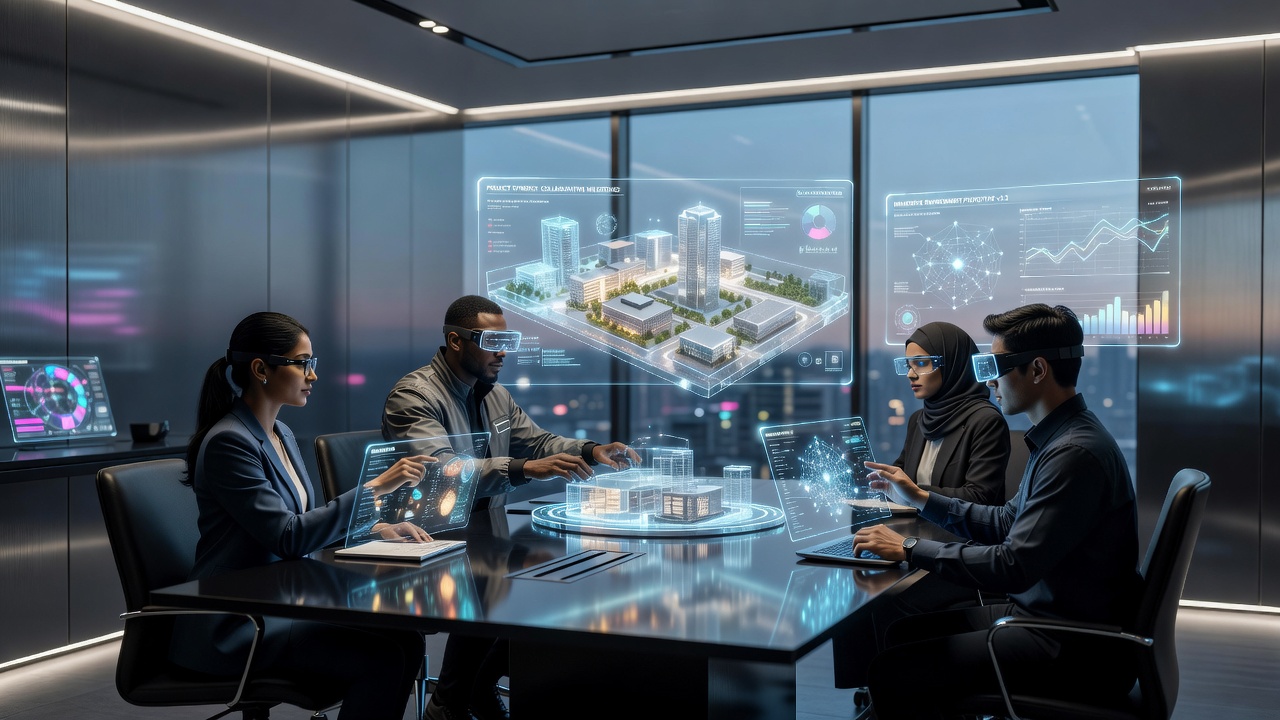
Remote work has evolved far beyond video calls. In 2026, virtual reality is emerging as a powerful tool that lets freelancers immerse themselves in shared digital spaces for meetings, project reviews, and creative brainstorming. This guide explores VR adoption specifically for gig economy professionals seeking more engaging and effective collaboration than traditional setups allow. As freelance work continues to grow globally, tools that bridge physical distances while fostering genuine interaction become essential for staying competitive and delivering high-quality results to clients across industries.
Many freelancers face challenges with miscommunication during remote projects, leading to extended revision cycles and reduced satisfaction. VR addresses these issues by creating immersive environments where participants can interact with 3D objects, share spatial perspectives, and maintain a sense of presence that flat screens cannot replicate. This shift represents more than a technological upgrade; it signals a fundamental change in how independent professionals build relationships and execute work in distributed teams.
Leading VR Platforms for Virtual Meetings and Project Reviews
Several established platforms dominate the VR collaboration space. Meta Horizon Workrooms offers seamless integration with popular headsets and supports spatial audio for natural conversations. Other options include Engage by Immersive VR Education, which excels in training and review sessions, and custom environments built on Unity for specialized freelance niches like architecture or game design. Additional platforms such as VRChat for creative industries and Microsoft Mesh for enterprise-level integrations provide further flexibility depending on project needs.
These tools allow participants to manipulate 3D models in real time, walk through virtual prototypes, and annotate shared whiteboards without leaving their home offices. Freelancers often combine these platforms with existing productivity suites for hybrid workflows that blend VR immersion with traditional document sharing. For instance, a designer might import CAD files into a VR space for client walkthroughs while simultaneously referencing cloud-based notes.
Meta's official VR resources provide detailed documentation on enterprise features suitable for independent contractors. Similarly, Unity's developer hub offers guides for building tailored collaboration environments that freelancers can adapt to their specific niches.
Productivity Gains Compared to Traditional Video Calls
Studies and user reports indicate VR meetings reduce miscommunication by enabling spatial awareness and gesture-based interaction. Unlike flat video screens, VR environments foster a stronger sense of presence, leading to shorter yet more focused sessions. Freelancers report improved client retention when presenting interactive 3D concepts instead of screen-shared slides. The ability to gesture naturally, maintain eye contact through avatars, and explore shared models together often results in clearer feedback and accelerated decision-making processes.
Key advantages include reduced meeting fatigue, enhanced creativity during brainstorming, and better team cohesion across time zones. However, VR shines most in tasks requiring visualization, while quick check-ins may still favor video calls. Over time, teams that integrate VR notice fewer follow-up emails and a higher rate of project milestones met on schedule, as the immersive format encourages active participation from all attendees rather than passive listening.
Hardware Recommendations and Setup Considerations
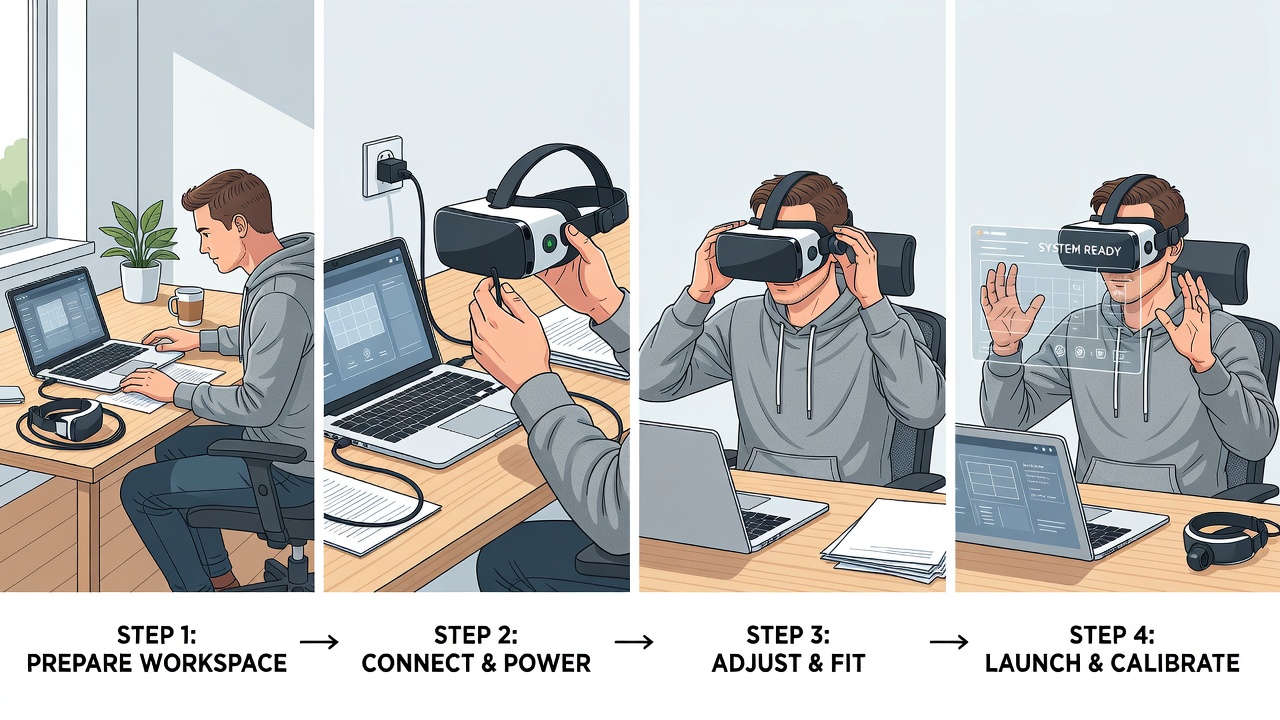
Entry into VR collaboration typically begins with standalone headsets that require no external sensors. Recommended devices emphasize comfort for extended wear and high-resolution displays to minimize eye strain. Pairing a headset with a reliable internet connection and ergonomic workspace setup maximizes effectiveness. Freelancers should also consider accessories like comfortable straps, external batteries for longer sessions, and noise-canceling headphones to enhance focus during collaborative work.
Freelancers should prioritize lightweight models with long battery life and easy integration with laptops or tablets. Cloud-based rendering options further lower barriers by reducing the need for high-end local hardware. Setting up a dedicated physical space with proper lighting and minimal distractions helps transition smoothly between virtual and real-world tasks. Testing multiple headsets before committing ensures the chosen device aligns with individual comfort preferences and workflow demands.
Real Freelancer Case Examples from the Gig Economy
Consider a graphic designer who switched to VR reviews for logo iterations. Clients now explore designs in immersive 3D, resulting in faster approvals and fewer revision rounds. Similarly, a software developer uses virtual whiteboards to conduct code architecture walkthroughs with distributed teams, cutting project timelines noticeably. In another scenario, a freelance writer collaborates on storyboarding for video projects by manipulating virtual elements alongside clients, leading to more dynamic content outcomes.
Another example involves a freelance architect who hosts virtual site walkthroughs, allowing international clients to experience spaces before construction begins. These stories highlight VR's role in elevating service quality and competitiveness in saturated markets. A motion graphics specialist reported that using VR for client presentations helped secure repeat business, as stakeholders felt more involved in the creative process from the initial concept stage through final delivery.
Step-by-Step Onboarding Tips for Freelancers
- Research compatible headsets and test basic VR applications to assess personal comfort levels.
- Select a primary collaboration platform and complete its onboarding tutorials.
- Invite a small test group of clients or collaborators for initial sessions.
- Establish clear etiquette guidelines, such as avatar customization and session recording policies.
- Iterate based on feedback and gradually expand VR use to more complex projects.
- Monitor session analytics if available and adjust meeting durations to optimize engagement.
- Develop backup plans for technical issues, including quick switches to video calls when needed.
VR Versus Standard Remote Setups: A Practical Comparison
- Immersion: VR creates shared presence; video calls remain two-dimensional.
- Cost of entry: VR requires hardware investment while video tools are often free.
- Learning curve: Standard tools need minimal training; VR demands initial adaptation.
- Accessibility: Video works on any device; VR needs compatible headsets and stable bandwidth.
- Collaboration depth: VR supports real-time 3D manipulation; video relies on screen sharing.
- Scalability: VR sessions can accommodate larger groups in virtual spaces without crowding.
Overcoming Common Challenges in VR Adoption
Adopting VR is not without hurdles. Motion discomfort can be mitigated through gradual exposure and platform comfort settings. Team adoption barriers often dissolve after a single successful demo session that showcases tangible benefits. Bandwidth requirements may necessitate upgrading internet plans or scheduling sessions during off-peak hours for optimal performance.
Freelancers should also address privacy concerns by reviewing platform data policies and using private virtual rooms. Building a support network through online VR freelancer communities can provide ongoing tips and troubleshooting advice as technology evolves.
Frequently Asked Questions
How do I address motion sickness during VR sessions?
Start with short sessions and use comfort settings available in most platforms. Gradually increase duration while ensuring proper lighting and ventilation in your physical space.
What if my clients resist adopting VR?
Offer hybrid options initially, demonstrating VR value through recorded demos. Many teams adopt once they experience tangible improvements in project clarity.
Is VR suitable for all freelance industries?
Fields involving design, engineering, education, and creative direction benefit most, while purely text-based work may see limited gains.
How can I ensure data security in VR meetings?
Choose platforms with robust encryption, use password-protected rooms, and avoid sharing sensitive information in public virtual spaces.
Conclusion
Virtual reality is reshaping remote collaboration for 2026 freelancers by delivering immersive, efficient alternatives to conventional tools. By understanding platforms, weighing productivity benefits, planning hardware thoughtfully, and following structured onboarding, independent professionals can gain a competitive edge. As the technology matures, early adopters position themselves for more meaningful client relationships and streamlined workflows that set them apart in an increasingly digital gig economy.

No comments yet. Be the first!