 Jobboy
Introduction: Why Revenue Dashboards Are Essential in 2026
Remote freelancers operating in the creator economy face unique income complexities, from newsletter subscriptions to digital product sales and consulting gigs. Building a custom revenue dashboard provides clarity on earnings, expenses, and growth opportunities while helping track performance across platforms. This guide explores practical setups using accessible tools, key metrics, comparisons, and automation strategies tailored for 2026 workflows. With increasing platform fragmentation, a centralized dashboard reduces errors and supports better decision-making for long-term sustainability.
Key Metrics to Monitor in Your Dashboard
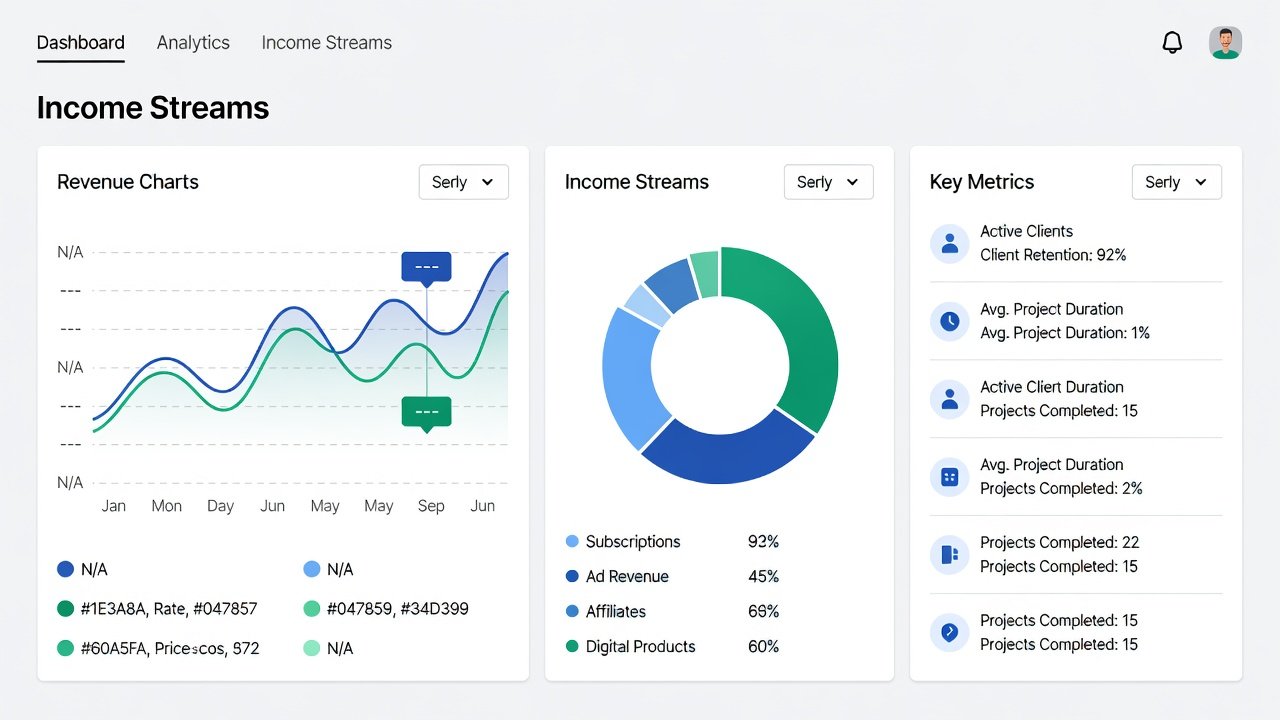
Effective dashboards track more than total revenue. Focus on hourly rates by dividing project earnings by time spent, revealing whether low-paying clients are worth the effort. Monitor client acquisition costs, including marketing spend and platform fees, to calculate true profitability. Diversify visibility across streams like newsletters, digital downloads, coaching, and affiliate income. Additional metrics include monthly recurring revenue, churn rates for subscription products, profit margins after taxes, and average revenue per client. For instance, a freelancer might discover that newsletter income represents 60 percent of revenue but only 20 percent of time, highlighting opportunities to scale that stream further.
Comparing Tools: Google Sheets, Airtable, and Notion
Google Sheets offers free, flexible spreadsheets ideal for basic calculations and charts. Google provides robust sharing and formulas suitable for beginners. Airtable combines database power with visual interfaces, suiting complex client tracking and relational data. Notion excels in all-in-one workspaces for notes, tasks, and databases. Compare based on your tech comfort: Sheets for simplicity and zero cost, Airtable for advanced filtering and automations, Notion for integrated planning that blends revenue tracking with content calendars. Each tool has trade-offs in learning curve and scalability that freelancers should evaluate against their current workflow.
Step-by-Step Setup Guides
Google Sheets Dashboard
Start with a new spreadsheet and label tabs as Revenue Streams, Expenses, Client Log, and Monthly Summary. Use formulas like =SUM for totals, =AVERAGE for hourly rates, and =IF statements for conditional alerts on low margins. Import CSV exports from platforms like Substack or Gumroad weekly. Add charts via the Insert menu for visual overviews of revenue trends. Protect sensitive sheets with sharing permissions and version history to track changes over time.
Airtable Setup
Create a base with tables for Clients, Projects, Revenue Entries, and Expenses. Link records across tables using relational fields to see which clients contribute most. Use Airtable's interface designer for dashboard views with grouped metrics and kanban boards for project pipelines. Automate imports via native integrations or CSV uploads, and add conditional formatting to highlight overdue invoices or underperforming streams.
Notion Implementation
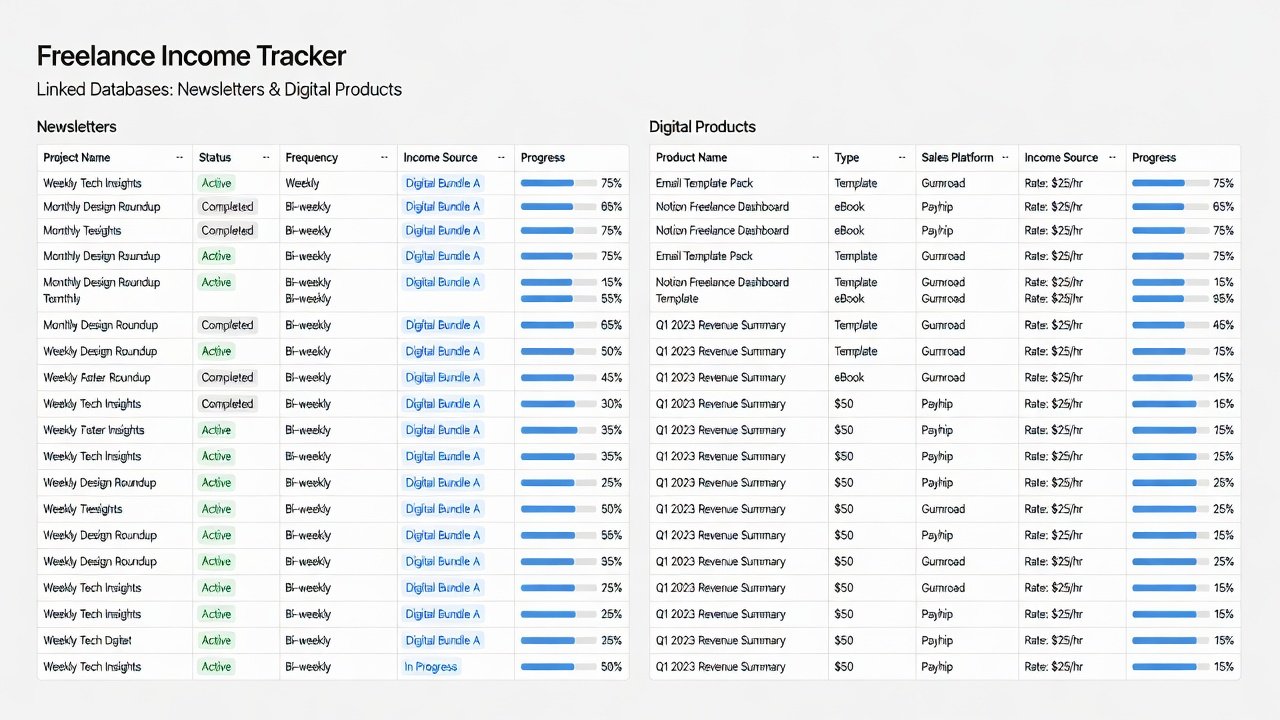
Build a database for income entries with properties for date, source, amount, hours worked, and tax category. Create linked views filtered by month, client, or revenue stream. Embed calculations with Notion formulas for real-time profit insights. Integrate with calendars to align revenue goals with content publishing schedules, making the workspace a single source of truth for both finances and operations.
Automation Tips for 2026 Workflows
Connect tools via Zapier or native APIs to pull data automatically from Stripe, PayPal, or email platforms. Schedule weekly syncs to reduce manual entry errors. Use scripts in Google Sheets for custom alerts on low-performing streams or threshold breaches. For advanced users, explore Make.com for multi-tool flows that update dashboards nightly and send summary emails. These automations free up hours each month that can be redirected toward client work or product creation.
Real-World Examples and Case Studies
Consider a newsletter freelancer tracking five revenue sources: subscriptions averaged consistent monthly inflows, digital products added supplemental earnings, with hourly consulting at a competitive rate. Their Airtable dashboard revealed significant time spent on low-value clients, prompting reallocation toward higher-margin activities. Another creator using Notion integrated tax estimates directly into the database, avoiding surprises during quarterly filings by exporting categorized reports. A third example involves a digital product seller who combined Google Sheets with external data pulls to forecast seasonal dips, adjusting marketing spend accordingly and maintaining steady growth year-over-year.
Addressing Common Challenges
Data Integration Issues
Standardize formats across platforms using consistent date and currency fields. Use CSV templates and validation rules to catch errors before import. Test imports weekly to catch discrepancies early and maintain data integrity across tools.
Tax Tracking Best Practices
Dedicate a dashboard section for estimated taxes with separate properties for federal, state, and self-employment portions. Log deductions like software subscriptions, internet costs, and home office expenses. Export reports quarterly for accountant review to ensure compliance and maximize savings.
Additional Challenges and Solutions
Data privacy concerns arise when connecting multiple accounts; always use encrypted connections and limit sharing to essential collaborators. Tool limitations, such as row caps in free tiers, can be mitigated by archiving old records monthly. Scalability becomes an issue as revenue grows, requiring migration plans from Sheets to more robust databases.
- Review all income sources monthly and reconcile against bank statements
- Update hourly rate calculations after each completed project
- Reconcile bank feeds bi-weekly to spot discrepancies immediately
- Archive completed client records annually for clean reporting
- Back up dashboard files to cloud storage with version control enabled
- Set reminders for quarterly tax estimates directly in the tool calendar
Scaling Your System for Long-Term Growth
As income grows, evolve from basic sheets to integrated platforms with forecasting views and goal-tracking properties. Add team collaboration features when hiring virtual assistants. Regularly audit metrics to align with business expansion, such as launching new products or entering new niches. This proactive approach supports sustainable freelance careers beyond 2026.
Frequently Asked Questions
How often should I update my dashboard?
Daily for active projects and weekly for full reviews maintains accuracy without causing burnout from constant monitoring.
Can these tools handle multiple currencies?
Yes, Google Sheets and Airtable support currency conversion formulas or fields, making them suitable for international clients across borders.
What if my data sources change frequently?
Use automation layers and maintain a master template that adapts to new platforms with minimal reconfiguration and testing.
How do I ensure data security in shared dashboards?
Apply role-based permissions, enable two-factor authentication on all accounts, and avoid storing sensitive financial details in free-tier tools without encryption.
Is it worth migrating from Sheets to Airtable later?
Many freelancers make the switch once they exceed 500 rows or need advanced relational views, as the time savings from automation justify the cost increase.
Conclusion
Custom revenue dashboards empower creator-economy freelancers to make data-driven decisions and optimize their businesses. By implementing these strategies with Google Sheets, Airtable, or Notion, you gain control over income tracking, reduce administrative burden, and position your freelance business for sustained success in 2026 and beyond.

No comments yet. Be the first!