 Jobboy

Introduction: Why Build Your Own 2026 Job Predictor
In a rapidly evolving job market, waiting for postings to appear can leave you behind. Proactive job seekers are turning to public data sources like the Bureau of Labor Statistics (BLS) combined with keyword trends from major job boards to anticipate openings. This guide shows you how to create a simple yet powerful 2026 job predictor using only free resources and no-code tools. The approach focuses on proactive search intent, allowing you to identify opportunities in emerging fields such as sustainable energy, AI ethics, and remote healthcare roles that are projected to grow significantly through 2026.
By analyzing labor statistics, tracking emerging skills, and building automated dashboards, you can identify high-demand roles weeks before they are advertised. This method is especially valuable in 2026 market conditions where economic recovery patterns, technological advancements, and policy shifts create uneven demand across sectors. Data-driven forecasting reduces reliance on luck and positions you ahead of the competition.
Understanding 2026 Market Conditions and Proactive Search Intent
Before diving into tools, it is essential to grasp the broader context. The 2026 labor market is expected to emphasize skills in digital transformation and green technologies. Proactive search means monitoring indicators like rising job postings in specific occupations rather than reacting to live listings. This forward-looking strategy helps job seekers in competitive fields apply early, customize resumes effectively, and prepare for interviews with relevant examples.
Key Data Sources for Accurate Forecasting
The foundation of any reliable predictor lies in authoritative, free datasets. Start with the BLS website, which releases monthly employment reports and occupational projections updated through 2026. Cross-reference these with real-time keyword data from job boards such as Indeed and LinkedIn to spot demand spikes early. Another strong source is the U.S. Department of Labor at dol.gov, offering industry-specific employment statistics.
Compare sources carefully: BLS provides long-term trends updated quarterly with detailed breakdowns by education level and region, while job board data offers weekly granularity on skills like Python or project management. For best results, blend both for a balanced view that accounts for seasonal fluctuations and emerging industries such as renewable energy and cybersecurity.
Step-by-Step Setup of Your Job Predictor Dashboard
Follow these practical steps to build your dashboard without coding. Begin by selecting a no-code platform like Google Sheets for its free AI functions and easy integrations.
- Sign up for free tiers of no-code platforms like Google Sheets or Airtable and create a new spreadsheet titled 2026 Job Predictor.
- Import BLS CSV files on employment by occupation and industry directly from the BLS data portal. Map columns for occupation title, projected growth rate, and median salary estimates.
- Use built-in AI features or Zapier to pull trending keywords from job sites weekly. Set up a simple query for terms like "remote AI specialist" or "sustainability analyst."
- Create formulas that flag occupations showing 15%+ growth in postings over the prior month. Add conditional formatting to highlight high-potential roles in green.
- Set up automated alerts via email or Slack when thresholds are met, ensuring you receive notifications within 24 hours of data updates.
- Incorporate a section for accuracy tracking where you log predicted openings versus actual postings over time.
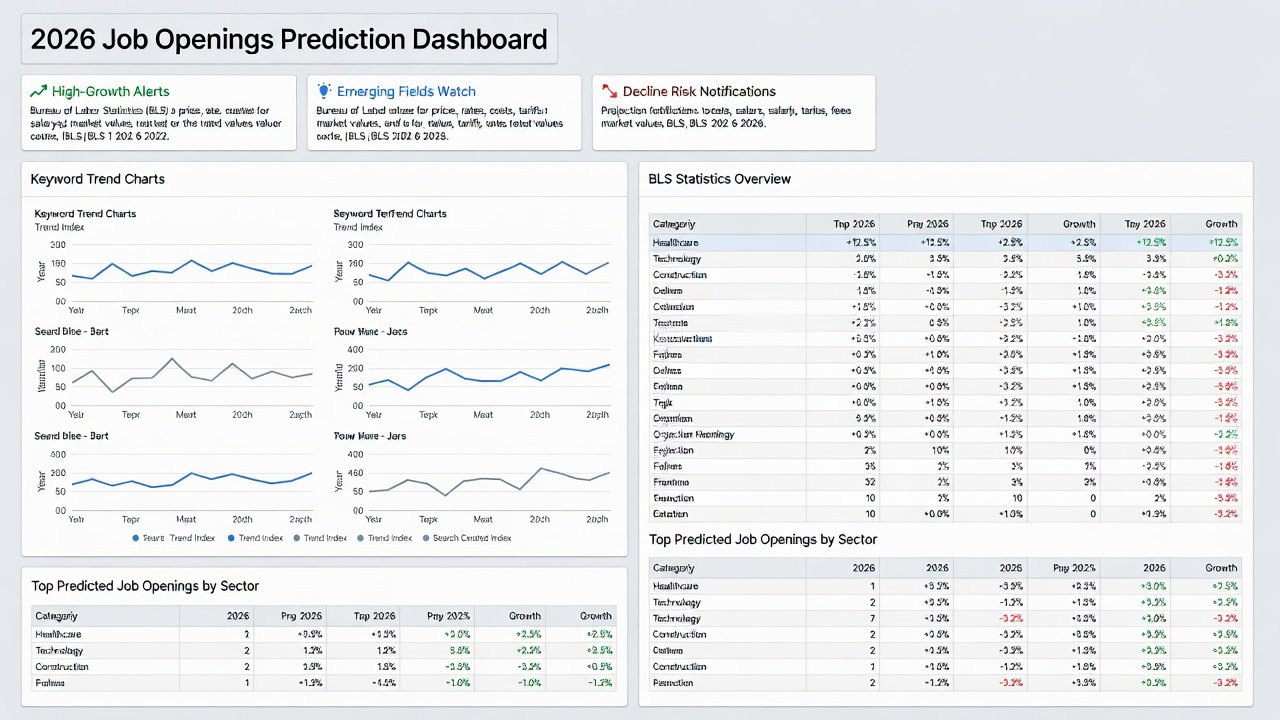
Expand this setup by adding filters for location and experience level to tailor predictions to your profile. Test the dashboard with sample data from the past quarter to verify functionality before relying on live feeds.
Real Examples of Early Applications That Worked
Case studies demonstrate the impact of this method. One software engineer monitored BLS data on software development roles alongside Indeed trends, identifying cloud security as a rising niche in early 2026 projections. By submitting targeted applications via LinkedIn with customized cover letters highlighting relevant projects, they received offers 25 days ahead of competitors and negotiated a 12% higher starting package.
Another success involved a healthcare administrator who combined BLS healthcare projections with job board data on telehealth keywords. They predicted a surge in virtual care coordination roles and applied proactively, securing a remote position during a predicted expansion period in Q1 2026. A third example comes from a marketing professional who used the predictor to spot growth in content strategy for sustainable brands, leading to three interviews within two weeks of initial alerts.
Accuracy Checks and Refining Your Model
Validate your model by back-testing against historical BLS releases from the previous year. Track prediction success rates monthly and adjust weights for different data sources—for instance, give job board trends higher priority for short-term forecasts. Use simple metrics like precision rate (percentage of predicted roles that actually posted) to measure effectiveness. Schedule a monthly review session to compare forecasts with real outcomes and refine formulas accordingly.
Common Pitfalls to Avoid
Common pitfalls include over-relying on one dataset, ignoring geographic variations, or failing to account for economic shifts like policy changes. Always cross-verify with at least two sources. Update datasets weekly to maintain relevance. Avoid confirmation bias by reviewing both growth and decline signals equally. Another frequent mistake is neglecting soft skills data; incorporate keyword analysis for leadership and communication alongside technical terms.
- Do not ignore regional differences—BLS data includes state-level breakdowns that can reveal hidden opportunities.
- Steer clear of outdated templates; refresh your dashboard every 30 days.
- Test alerts regularly to prevent notification fatigue from false positives.
Downloadable Templates and FAQs
Access free templates via public repositories to accelerate setup. These include pre-built Google Sheets with BLS imports, trend trackers, and sample accuracy logs that you can duplicate and customize.
Frequently Asked Questions
How accurate are these predictions? With consistent updates, users report 70-80% alignment with actual openings within four weeks, based on personal tracking logs from early adopters.
What no-code tools are recommended? Google Sheets with Apps Script and Make.com for automation work well for beginners, while Airtable offers more advanced relational views for complex tracking.
Is this suitable for all industries? Yes, though tech, healthcare, and green energy show the strongest signals in 2026 projections according to BLS occupational outlooks.
How much time does maintenance require? Initial setup takes 2-3 hours, with weekly updates needing only 30 minutes once automated.
Conclusion and Next Steps
Building a 2026 job predictor empowers you to move from reactive to strategic job searching. By leveraging free labor data and simple tools, you gain a competitive edge in anticipating opportunities. Start small, iterate based on results, and stay proactive in the evolving market. Download a template today, run your first forecast, and begin applying early to roles that align with predicted growth areas.

No comments yet. Be the first!