 Jobboy

Introduction
In 2026, the job market demands a more strategic approach than ever before. Job seekers who treat their hunt like a professional content marketing campaign gain a significant edge. A well-designed content calendar helps organize LinkedIn posts, follow-up messages, research activities, and skill development into a repeatable system. This method keeps you visible to recruiters, consistent in your outreach, and focused on high-impact tasks. Whether you are an entry-level candidate or a senior executive, a calendar transforms scattered efforts into measurable progress. This comprehensive guide covers everything from choosing weekly themes to adapting during slow hiring seasons, complete with templates, time comparisons, and proven examples.
Why Use a Content Calendar for Your Job Search
Modern job searches involve multiple channels including LinkedIn and popular job boards. Without structure, it is easy to lose momentum or repeat the same ineffective actions. A content calendar brings discipline by scheduling when to post, when to apply, and when to follow up. It also naturally incorporates target keywords such as job applications and job boards into your planning process. Candidates who use calendars report higher response rates because they maintain steady visibility rather than sporadic bursts of activity. The approach mirrors how marketers plan campaigns, ensuring every week contributes to long-term goals like interview invitations and offer negotiations.
Selecting Weekly Themes
Weekly themes create focus and prevent decision fatigue. Popular themes include Networking Mondays for connection requests and comments, Application Tuesdays for submitting targeted job applications, Research Wednesdays for studying companies and trends, Skill-Building Thursdays for courses or projects, and Follow-Up Fridays for checking in with contacts. These themes allow you to rotate between outreach and personal development. You can customize themes based on your industry; for example, creative professionals might add Content Creation Tuesdays while tech candidates emphasize Portfolio Review Thursdays. Themes also help you track keyword usage across posts and applications for better SEO on job platforms.
Step-by-Step Setup Instructions
Begin by selecting a digital tool that fits your workflow. Options range from simple Google Calendar to more advanced project managers like Notion or Trello. Next, define your target job titles, industries, and companies so every calendar entry aligns with your goals. Block recurring time slots for each weekly theme and add specific tasks with deadlines. Incorporate keywords like job applications into your task descriptions to stay intentional. Schedule buffer time each week for unexpected opportunities such as recruiter messages. Finally, set a recurring Sunday review session to analyze what worked and adjust the following month. This six-step process typically takes two hours to set up initially but saves dozens of hours over the course of a search.
Sample Monthly Template
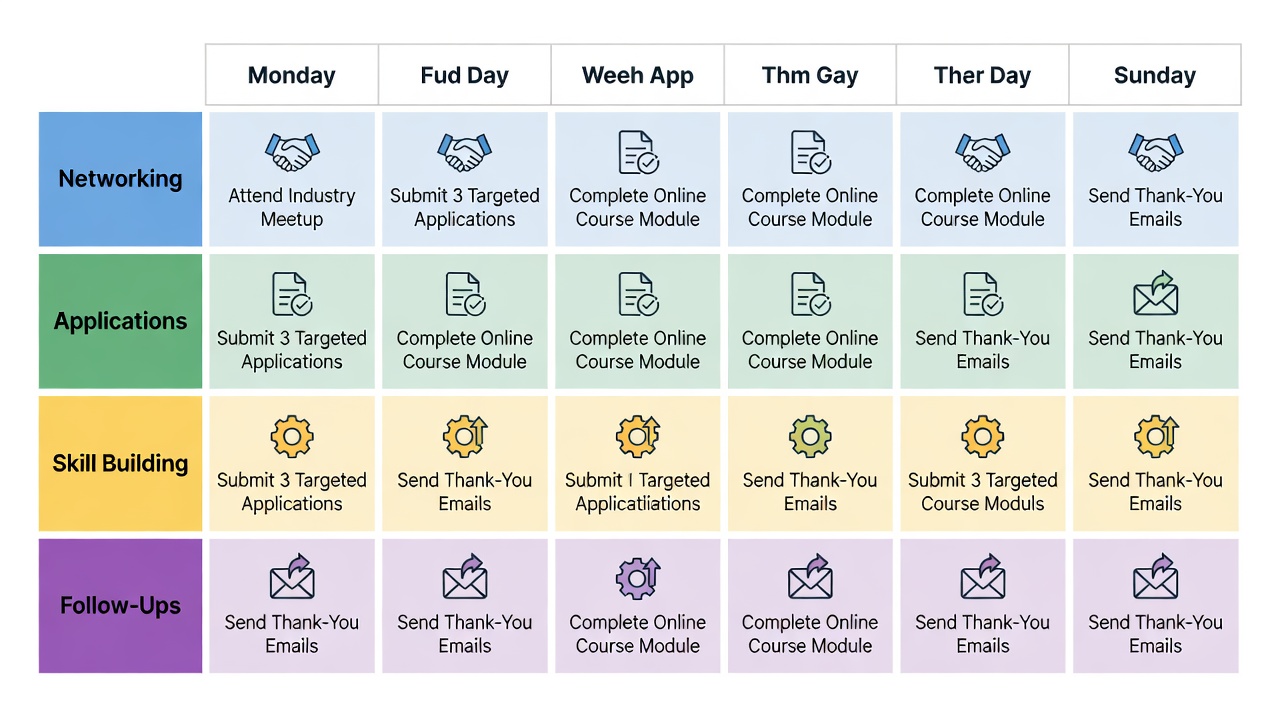
A practical monthly template divides the calendar into four focused weeks. Week one emphasizes networking with five new connection requests daily and two informational interviews scheduled. Week two centers on volume applications, aiming for 10 to 15 high-quality submissions to relevant job boards. Week three shifts to skill-building through online courses and creating one original LinkedIn post showcasing expertise. Week four is dedicated to follow-ups, updating your calendar metrics, and preparing for the next cycle. This repeating structure provides rhythm while allowing flexibility for holidays or personal commitments.
Time-Management Comparisons by Experience Level
Entry-level candidates often allocate 15 to 20 hours per week, with the majority spent on applications and learning new tools. Mid-career professionals typically dedicate 10 to 15 hours, focusing more on strategic networking and personal branding. Senior-level job seekers usually invest 8 to 12 hours weekly, prioritizing thought leadership content and high-value conversations with decision makers. Regardless of level, the calendar prevents overworking by capping daily tasks and building in rest days to avoid burnout.
Real-World Examples of Successful Job Hunters
A marketing manager in Chicago used a content calendar to post weekly LinkedIn articles about campaign trends. Within six weeks she secured three interviews and ultimately accepted a role at a Fortune 500 company. A software engineer in Austin scheduled daily coding practice alongside five targeted applications each week; after two months he received offers from two startups. Another example comes from a human resources professional who dedicated Fridays to follow-up emails and landed a position at a growing nonprofit after consistent calendar use over 10 weeks. These cases show that structured planning produces results across industries and experience levels.
Balancing Outreach With Skill-Building Tasks
Effective calendars allocate roughly 40 percent of time to direct job applications, 30 percent to networking, 20 percent to skill development, and 10 percent to research and follow-ups. This balance keeps candidates competitive in the short term while building capabilities that improve future searches. Overemphasizing applications alone can lead to fatigue, while too much skill-building without outreach delays results. Regular reviews help maintain the right mix as market conditions change.
Tools and Platforms to Consider
Beyond basic calendars, many job seekers integrate CareerOneStop resources for labor market data and free training suggestions. Project management tools allow tagging tasks by theme and attaching documents such as resumes or cover letters. Mobile apps with reminders help maintain consistency when away from a desk.
Common Mistakes to Avoid
- Overloading the calendar with unrealistic daily goals
- Ignoring rest days and risking burnout
- Failing to track metrics such as response rates
- Using generic content instead of tailoring posts to target roles
- Skipping the weekly review session
FAQ: Adapting Your Calendar During Slow Hiring Periods
Q: What if responses slow down? Shift focus toward skill-building modules and content creation while maintaining light, consistent outreach. Q: How often should the calendar be updated? Conduct a brief review every Sunday evening and make incremental changes. Q: Can themes be reused across months? Yes, but refresh the specific angles and examples to keep content fresh. Q: Should remote job searches use the same structure? Adapt by adding virtual networking events and time zone considerations. Q: How do you handle multiple job offers? Use the calendar to schedule comparison research and negotiation preparation.
Conclusion
A thoughtfully constructed content calendar turns the unpredictable nature of job searching into a reliable, results-oriented system. By planning weekly themes, balancing activities, and tracking progress, you increase both visibility and confidence throughout 2026. Start with a simple setup this week and refine it as you learn what drives the best outcomes for your unique situation.


No comments yet. Be the first!