 Jobboy
Introduction
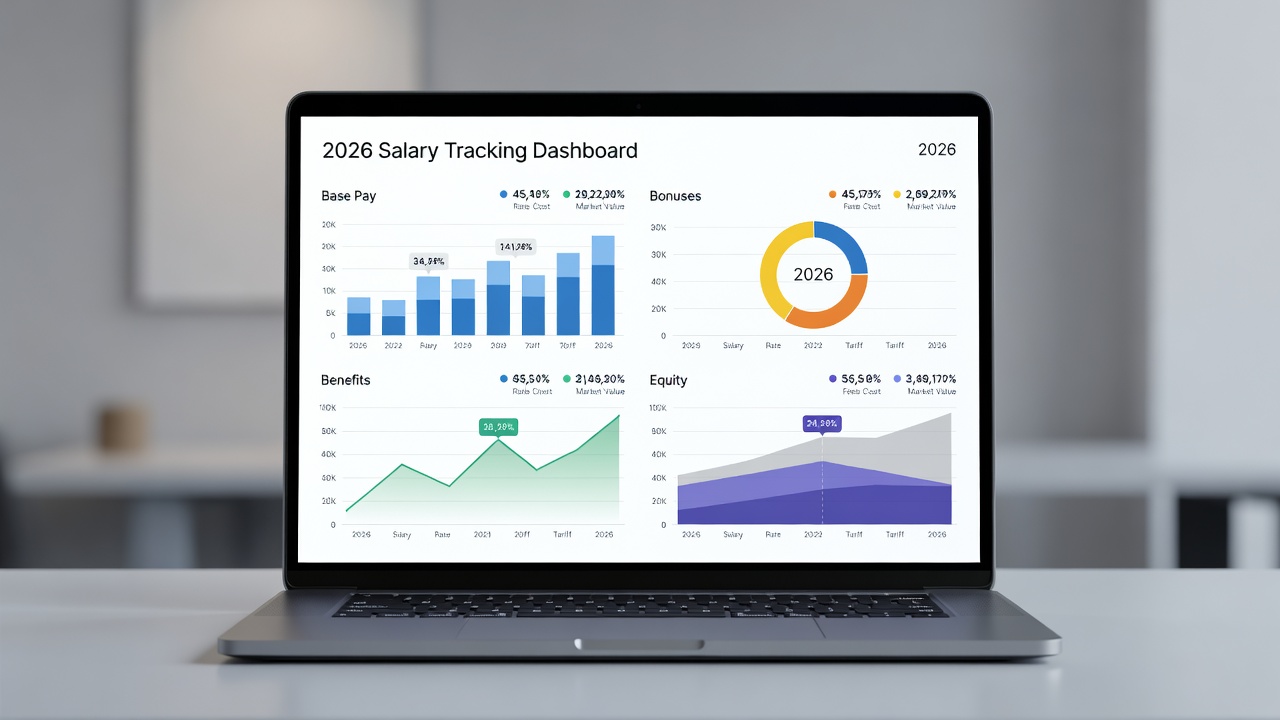
Professionals navigating the 2026 job market encounter compensation packages that blend traditional base salaries with variable bonuses, comprehensive benefits, and equity components. Building a dedicated salary tracking dashboard transforms fragmented pay stubs and offer letters into a centralized, actionable resource. This system supports precise negotiation strategies, identifies gaps in total rewards, and facilitates long-term financial planning across career moves.
Whether you are a recent graduate entering the workforce or a mid-career specialist evaluating a lateral move, consistent tracking reveals patterns such as under-market base pay or overlooked benefits valuation. The guide covers metric selection, platform comparisons, detailed setup workflows, industry-specific examples, automation techniques, and maintenance protocols to ensure ongoing accuracy.
Selecting the Right Metrics for Your Dashboard
Start by defining core metrics that reflect your full compensation picture. Essential categories include base pay recorded as annual or monthly fixed amounts, performance or signing bonuses tracked separately with payment dates, and benefits valuation that converts employer contributions for health coverage, retirement matching, and wellness programs into equivalent dollar figures.
Equity tracking requires columns for grant type, vesting schedule, current fair market value, and potential tax implications upon exercise. Derived metrics such as total compensation, year-over-year percentage growth, and effective hourly rate add analytical depth. Professionals often include fields for negotiation history, counter-offer details, and percentile rankings pulled from compensation surveys to contextualize personal data against broader market trends.
Consider adding custom tags for role level, industry segment, and location adjustments to enable filtered reporting. This structured approach prevents common oversights like ignoring one-time awards or failing to update equity values after market fluctuations.
Comparing Popular Platforms in 2026
Spreadsheet solutions such as Google Sheets and Microsoft Excel remain popular for their zero cost and full customization capabilities. They support formulas, pivot tables, and conditional formatting but demand manual data entry. Dedicated compensation platforms like Levels.fyi and Salary.com supply built-in market benchmarks and visualizations, reducing research time while offering limited free tiers.
Relational tools including Airtable allow linked records for multi-year tracking and automated calculations, while Notion combines databases with note-taking for holistic career documentation. Enterprise exports from systems like Workday or BambooHR provide detailed historical records suitable for personal import. Evaluate options by testing automation features, data import ease, and export flexibility over one full pay cycle before final selection.
Step-by-Step Setup Instructions
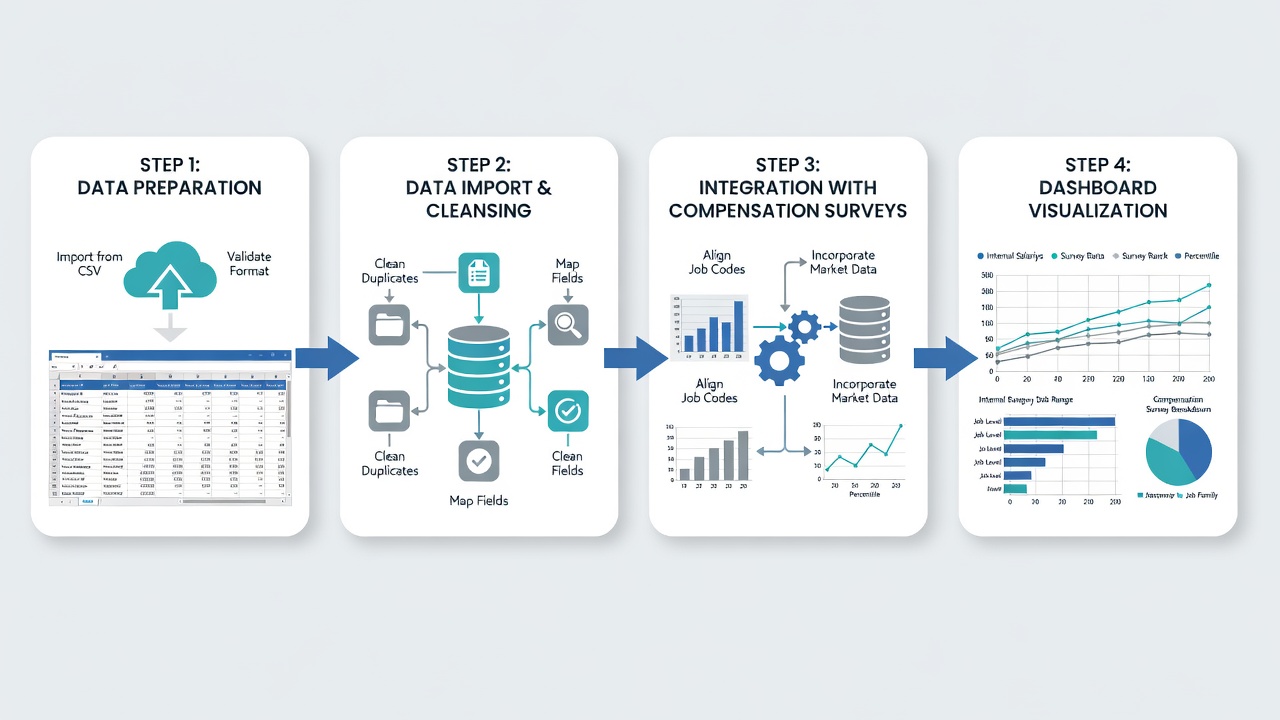
Begin setup by creating a master database or spreadsheet with standardized columns: entry date, employer name, job title, base pay, bonus amount and type, benefits valuation, equity details, total compensation, and source notes. Populate initial records using the past 24 months of pay statements, W-2 forms, and offer letters to establish baseline trends.
Integrate external benchmarks by importing relevant data from the Bureau of Labor Statistics occupational employment statistics and cross-referencing with industry-specific surveys. Set up lookup tables for percentile comparisons and apply conditional formatting rules that highlight entries falling below the 50th percentile for your role and experience level.
Build summary views with line charts for compensation growth trajectories, bar charts comparing bonus realization rates, and pie charts illustrating the breakdown between fixed and variable pay. Schedule recurring calendar reminders for monthly updates following each pay period, and create backup versions stored in secure cloud folders. Test the full workflow by simulating a new job offer entry to verify all calculated fields update correctly.
Integrating Compensation Surveys for Market Context
Compensation surveys add external validation to internal records. Download anonymized datasets from authoritative sources and map key fields such as job title, years of experience, and geographic location into your dashboard. Update survey imports quarterly to reflect the latest available figures as of mid-2026. This integration highlights whether your current package aligns with or exceeds prevailing rates, informing targeted negotiation points during annual reviews or job transitions.
Real-World Examples Across Industries
A software engineer at a Series B startup tracks four separate equity tranches, performance bonuses tied to product milestones, and remote-work stipends. Automated scripts pull daily stock prices to refresh equity valuations, enabling quick assessment of total package growth ahead of funding rounds.
In healthcare, a senior registered nurse logs shift differentials, overtime premiums, pension contributions, and certification reimbursements imported quarterly from the hospital portal. The dashboard flags when benefits valuation lags behind national medians reported by the Department of Labor, supporting requests for schedule adjustments.
A marketing director at a large corporation maintains records of long-term incentive plans, deferred compensation, and executive wellness benefits. Cross-referencing against U.S. Census Bureau wage distributions for comparable experience levels reveals opportunities to negotiate additional paid time off or professional development allowances during contract renewals.
These cases illustrate how the same foundational structure adapts across sectors while surfacing actionable insights for career advancement.
Automation Tips and Common Pitfalls to Avoid
Minimize manual effort by connecting payroll export files directly into your spreadsheet or using simple scripts in Google Apps Script to calculate equity values from public market data. Set alerts for vesting dates and tax filing deadlines related to equity events.
Avoid frequent mistakes such as neglecting to adjust equity after stock volatility, double-counting employer-paid benefits already reflected in net pay, or omitting one-time relocation packages from non-recurring income tags. Maintain a dedicated document folder with source PDFs for rapid verification during audits or advisor consultations. Conduct quarterly accuracy reviews rather than annual checks to catch discrepancies before they compound.
FAQ: Maintaining Accuracy Over Time
How often should updates occur? Monthly entries after each pay cycle provide the best balance for most professionals, while quarterly reviews work adequately for roles with stable fixed compensation.
How should volatile equity values be handled? Maintain separate columns for grant-date fair value and current market value to preserve trend visibility without skewing overall totals.
Is sharing the dashboard with advisors recommended? Export a redacted version that removes employer identifiers while retaining metric summaries for confidential review sessions.
What is the best way to categorize one-time awards? Apply clear tags such as non-recurring to prevent distortion of projected future compensation calculations.
Can historical data be backfilled easily? Yes, import prior-year tax documents and pay summaries in batches, verifying totals against official records before dashboard integration.
Conclusion
Implementing a comprehensive 2026 salary tracking dashboard equips professionals with clarity and confidence for compensation discussions and strategic career planning. Through careful metric definition, platform evaluation, structured setup, and disciplined maintenance, users convert raw pay data into powerful decision-making tools. Begin with a basic template today and progressively incorporate automation features as your compensation complexity increases.


No comments yet. Be the first!