 Jobboy

Introduction: Why a Resume Portfolio Matters in 2026
In today’s competitive job market, a traditional one-page resume often fails to convey the full scope of your professional capabilities. Employers receive hundreds of applications for each opening and need more than bullet points to evaluate candidates. A resume portfolio addresses this gap by compiling supporting materials that demonstrate your achievements, projects, and expertise in greater depth. This cohesive document set allows you to tell a complete story about your career trajectory and the tangible value you bring to organizations.
Job seekers who supplement their resumes with portfolios consistently report higher callback rates because they provide concrete evidence rather than claims alone. Whether you work in creative industries, technical fields, or corporate environments, a well-assembled portfolio helps differentiate you from other applicants. It also prepares you for interviews by giving you ready examples to discuss during conversations with hiring managers.
What Is a Resume Portfolio?
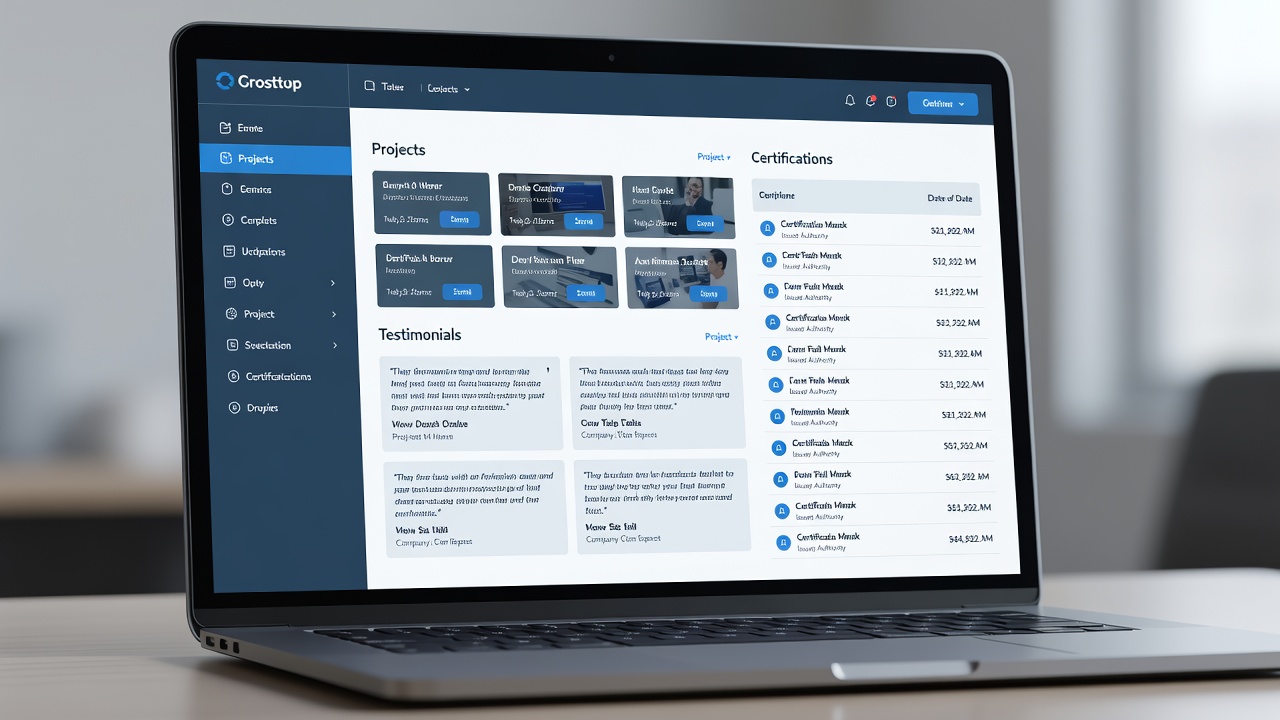
A resume portfolio is a curated collection of documents, visuals, and artifacts that expand on the information in your standard resume. It typically contains work samples, detailed project breakdowns, performance metrics, client testimonials, certifications, and case studies. Unlike a resume limited to one or two pages, the portfolio offers context and proof of your skills through real-world examples.
The goal is to create a unified professional narrative. Each element should connect back to your core strengths and career goals, turning abstract statements on your resume into verifiable accomplishments. For instance, instead of simply listing “managed social media campaigns,” you can include campaign screenshots, engagement data, and strategy documents that illustrate your process and results.
Step-by-Step Guide to Building Your Resume Portfolio
Step 1: Audit Your Existing Materials
Begin by collecting every relevant document from your career history. This includes project files, performance reviews, emails praising your work, presentations, and any visual assets you created. Sort items by relevance to the roles you are targeting and discard anything outdated or unrelated. Create a master inventory spreadsheet to track each piece and note why it supports your narrative.
Step 2: Define Your Core Narrative
Identify three to five central themes or strengths that define your professional brand. These might include leadership, technical innovation, client relations, or process improvement. Every item you include in the portfolio must reinforce at least one of these themes. Write a short personal brand statement that ties these themes together and use it as an introduction page in your portfolio.
Step 3: Select and Create Content
Choose high-impact materials that showcase measurable results. For each selected project, write a one-page summary that includes the challenge, your specific actions, and quantifiable outcomes. Add supporting visuals such as charts, screenshots, or diagrams. If you lack certain materials, create new ones like a personal case study based on a past initiative or a skills matrix that maps your abilities to job requirements.
Step 4: Design for Visual Organization
Apply consistent branding across all pages using the same fonts, colors, and layout style. Use clear headings, bullet points, and ample white space to improve readability. Digital tools such as Canva, Adobe InDesign, or Microsoft Publisher help maintain a polished appearance. Organize sections logically so recruiters can quickly locate key information.
Step 5: Ensure ATS Compatibility
Many companies rely on applicant tracking systems to screen applications. Save a clean PDF version of your portfolio using standard fonts like Arial or Calibri and avoid heavy graphics that may prevent text extraction. Test the file by copying text into a plain document to confirm searchability. Include keywords from job descriptions naturally throughout the content.
Industry-Specific Examples
Marketing professionals can include campaign performance reports, social media analytics screenshots, email open rates, and A/B test results. Software engineers might showcase GitHub repositories, system architecture diagrams, code samples with explanations, and deployment success metrics. Graphic designers often feature before-and-after project visuals, client briefs, and final deliverables with usage statistics. Educators can present lesson plans, student outcome data, curriculum development examples, and feedback from administrators or parents. These tailored examples demonstrate how the portfolio adapts to different career paths while maintaining a consistent structure.
Digital vs Physical Formats: A Comparison
- Digital portfolios enable easy sharing through links, support interactive elements like embedded videos or clickable prototypes, and allow real-time updates without reprinting.
- Physical portfolios deliver a tactile experience that works well in creative fields such as architecture, fashion, or fine arts where reviewers prefer to examine printed samples during in-person meetings.
- Hybrid approaches combine both formats by maintaining a digital version for initial applications and preparing selected printed pages for interviews, giving flexibility across different hiring scenarios.
ATS Compatibility Checks and Optimization
Beyond basic file formatting, run your portfolio through free online ATS simulators to identify parsing issues. Use standard section headings like “Professional Experience” and “Projects” rather than creative titles. Incorporate relevant keywords from target job postings in context. Keep file sizes under 5MB when submitting online to avoid upload failures. These checks help ensure your materials reach human reviewers instead of being filtered out automatically.
Visual Organization Tips
Maintain a clear visual hierarchy with larger headings for main sections and smaller subheadings for details. Use icons sparingly to highlight categories without cluttering the layout. Ensure sufficient contrast between text and background for accessibility. Number pages and include a table of contents at the front so reviewers can navigate quickly. Consistent margins and alignment create a professional impression that reflects attention to detail.
Common Pitfalls to Avoid
Overloading the portfolio with every project you have completed dilutes focus and overwhelms readers. Neglecting regular updates leaves outdated information that suggests stagnation. Ignoring file size limits or format requirements can cause technical problems during submission. Failing to tailor content to each application reduces relevance. Always proofread for spelling, grammar, and design consistency across every page.
Conclusion
Creating a resume portfolio demands careful planning and curation, yet the effort yields stronger, more compelling job applications. By following the steps outlined above and tailoring materials to your industry, you build a document set that effectively communicates your value and helps you secure opportunities in 2026.
FAQ
How long should a resume portfolio be?
Keep the portfolio between five and ten pages or digital sections. This length provides enough depth without overwhelming recruiters who review dozens of applications daily.
How do I share my portfolio?
Include a direct link in your resume header, LinkedIn profile, and email signature. Upload the digital version to professional networking sites such as LinkedIn or job boards like Indeed for maximum visibility.
How often should I update it?
Review and refresh your portfolio quarterly or immediately after completing significant projects. This practice ensures all examples remain current and aligned with your evolving career goals.


No comments yet. Be the first!