 Jobboy

Introduction: Why a Personal Brand Website Matters in Job Hunting
In today's competitive job market, static resumes often fail to capture a recruiter's full attention or convey the depth of your professional experience. A personal brand website serves as a dynamic, living hub for your professional story, allowing you to showcase skills, projects, personality, and achievements in ways a simple PDF cannot. Job seekers who invest time in building these sites frequently report higher engagement from hiring managers and recruiters, especially when they optimize content around target keywords like job search and job applications. This approach moves beyond traditional applications by creating an always-available digital presence that tells a cohesive narrative about your career journey.
This comprehensive guide walks beginners through advanced yet accessible techniques to differentiate yourself in crowded markets. We cover platform selection with detailed comparisons, must-have sections with practical examples, step-by-step setup instructions, real-world examples of effective sites, SEO tactics, integration strategies with job boards, maintenance checklists, common mistakes to avoid, and an expanded FAQ. By the end, you will have actionable insights to launch a site that truly stands out.
Choosing the Right Platform for Your Personal Brand Website
Selecting a platform depends on your technical comfort level, budget considerations, and desired level of customization. Popular beginner-friendly options include WordPress for its flexibility and extensive plugin ecosystem, Wix or Squarespace for intuitive drag-and-drop interfaces, and Webflow for users ready to explore more advanced design control without heavy coding. Free tools like WordPress.com or Carrd work well for quick launches, while paid plans unlock custom domains, advanced SEO features, and better analytics integration from the start.
When comparing free versus paid tools, consider long-term scalability. Free versions often restrict storage, remove branding control, and limit custom domains, which can hinder professional perception during job applications. Paid options provide superior performance, security updates, and marketing tools. Start with a platform that supports easy content updates so your site can evolve alongside your career milestones. Research community forums and tutorials on each platform to ensure it aligns with your learning curve.
Must-Have Sections for an Effective Personal Brand Site
Every strong personal brand website includes core sections that tell your story cohesively and professionally. Begin with a compelling homepage hero section featuring a strong headline, professional photo, and a brief value proposition. Follow with a detailed About page that covers your background, values, career highlights, and personal motivations. This section humanizes your application and helps recruiters connect with you beyond bullet points on a resume.
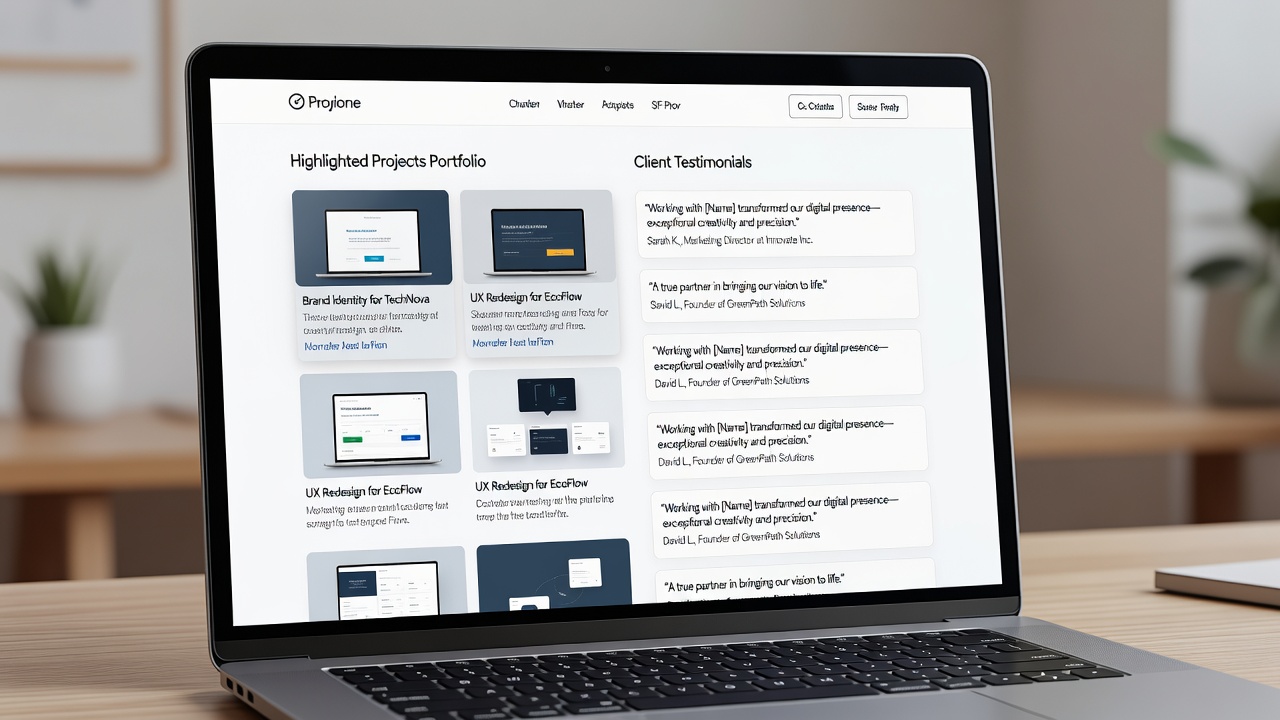
Key additions include a Projects or Portfolio section highlighting three to five standout works, each with clear descriptions, your specific role, measurable outcomes, and visuals or links to live examples. A Testimonials page featuring authentic quotes from colleagues, managers, or clients adds social proof and credibility. Include a dedicated Skills or Services area with both technical and soft skills listed, perhaps categorized for easy scanning. Add a Blog or Insights section for thought leadership content that incorporates job search keywords naturally. Finally, ensure a clear Contact or Call-to-Action section with a form, email link, and links to your LinkedIn or other professional profiles.
Step-by-Step Setup Instructions
Follow these practical steps to launch your site efficiently. First, secure a custom domain that matches your name or brand, such as yourname.com, using a reputable registrar. Next, choose and set up your platform, importing any existing resume content as a foundation for the About and Skills sections.
- Install a clean, professional, mobile-responsive theme optimized for fast loading times.
- Populate each section with high-quality visuals, concise yet impactful text, and relevant keywords.
- Optimize every page for SEO by incorporating target phrases naturally in headings, subheadings, and meta descriptions.
- Integrate basic analytics tools to monitor visitor behavior from day one.
- Test navigation, forms, and load speed across multiple devices and browsers before going live.
- Submit your sitemap to major search engines and set up proper redirects if migrating from another site.
- Create a simple privacy policy and terms page to build trust with visitors.
- Launch with a soft announcement on your existing professional networks to drive initial traffic.
Advanced beginners can layer in custom code snippets or third-party integrations once the basic structure is solid.
SEO Tactics to Attract Recruiters
Optimize your site to rank for terms like job search and job applications by conducting basic keyword research and placing phrases strategically. Use keyword-rich titles and headings, create location-specific or role-specific landing pages when relevant, and build internal links between sections for better crawlability. Submit your sitemap to search engines, ensure fast loading times through image optimization, and maintain consistent updates with fresh projects or articles. External links to authoritative resources, such as WordPress.org documentation or Webflow tutorials, can further boost credibility and authority in the eyes of both algorithms and recruiters.
Real-World Examples of Effective Personal Brand Websites
Many professionals have succeeded with minimalist yet impactful designs that balance aesthetics and functionality. For instance, designers often use portfolio-focused layouts on Webflow that prominently feature case studies with before-and-after metrics. Marketers frequently leverage blog-integrated WordPress sites where they publish weekly insights on industry trends, directly targeting job search queries. Study sites from industry leaders in your field to observe how they balance visuals with keyword-optimized copy that appeals directly to recruiters scanning for job applications. These examples demonstrate how a well-structured site can convert passive visitors into interview requests.
Integrating Your Website with Job Boards and Applications
Link your personal site prominently on LinkedIn, Indeed profiles, and application portals so recruiters can easily discover more depth. Embed a QR code on your resume or cover letter that leads directly to the homepage. Use consistent branding, color schemes, and messaging across all platforms so recruiters immediately recognize your online presence. This integration transforms passive applications into active discovery opportunities, allowing your website to work as a 24/7 extension of your candidacy. Consider adding a downloadable one-page resume version on the site for convenience during applications.
Common Mistakes to Avoid
Many beginners overlook mobile optimization, resulting in poor user experiences on smartphones where many recruiters browse. Another frequent error is using overly generic content that fails to differentiate you from other candidates. Avoid cluttered designs with too many animations or poor navigation that frustrate visitors. Neglecting regular updates can make your site appear outdated, signaling a lack of current engagement in your field. Finally, skipping analytics setup means missing valuable data on which sections perform best during job search campaigns.
Practical Checklist for Launch and Maintenance
- Verify mobile responsiveness and cross-browser compatibility thoroughly.
- Include clear calls-to-action like a contact form or downloadable resume.
- Set up Google Analytics for performance tracking and goal setting.
- Schedule quarterly content updates tied to career milestones.
- Review for broken links and outdated information monthly.
- Ensure all images are optimized for fast loading without sacrificing quality.
- Test contact forms and download links regularly.
- Back up your site content before making major changes.
FAQ: Common Questions About Personal Brand Websites
How often should I update my site?
Update at least once per quarter or after major career milestones such as new projects, certifications, or role changes to keep content fresh and relevant to ongoing job search efforts.
What analytics should I monitor?
Track page views, bounce rates, average session duration, and traffic sources to understand which sections resonate most with visitors, including recruiters and hiring managers.
Can free tools suffice for beginners?
Yes, many professionals start successfully with free tiers and upgrade only when needing advanced customization, custom domains, or additional storage capacity.
Should I include a blog on my personal site?
A blog is highly recommended if you have insights to share, as it improves SEO, demonstrates thought leadership, and provides more opportunities to rank for job search related keywords.
How do I protect my privacy on a public site?
Use professional email addresses only, avoid sharing sensitive personal details, and include a clear privacy policy outlining how visitor data is handled.
Conclusion
Building a personal brand website transforms how you present yourself during job hunting by creating a centralized, engaging, and searchable professional hub. By focusing on strategic sections, SEO best practices, seamless integrations with job boards, and ongoing maintenance, you create a powerful tool that stands out in competitive markets. Begin today with one platform choice, follow the step-by-step process, and gradually expand your site's capabilities for lasting professional impact and better results in your job applications.


No comments yet. Be the first!