 Jobboy

Why a Job Search Portfolio Matters in 2026
In today's competitive job market, resumes alone often fall short of demonstrating real-world capabilities. A well-crafted portfolio provides tangible proof of your skills, setting you apart from other candidates who rely solely on text-based applications. For beginners, it transforms abstract claims into concrete demonstrations of ability, helping recruiters and hiring managers visualize your contributions immediately. As job search trends evolve with increased emphasis on digital presence, portfolios have become essential tools for new entrants across creative, technical, and professional fields.
Employers increasingly scan for evidence of practical application rather than just educational credentials. Building one early establishes a foundation that grows with your career, allowing you to track progress and refine your narrative over time. This guide walks through every aspect to ensure your portfolio effectively supports your applications.
Selecting Relevant Projects for Your Portfolio
Start by auditing your experiences to identify work that directly supports your career goals. Choose 4-6 projects that align with target roles, drawing from academic assignments, personal experiments, volunteer initiatives, or entry-level freelance tasks. Prioritize those that showcase problem-solving, creativity, and measurable results over generic tasks.
For example, a marketing beginner might select a social media campaign they ran for a student organization, documenting reach metrics and engagement rates. A software developer could highlight a personal app built to solve a daily problem, including code snippets and user feedback. Map each project to specific job descriptions by reviewing required skills and matching them accordingly. Always include process documentation such as initial sketches, iterations, and final outcomes to reveal your thinking.
- Map projects to job descriptions for relevance
- Highlight measurable outcomes like improved efficiency or user growth
- Include process documentation showing your workflow
- Balance variety across skills while maintaining focus on your target industry
- Refresh selections every few months as new experiences accumulate
Integrating Job Listing Keywords Effectively
Analyze target job postings carefully for recurring terms such as project management, data visualization, or user research. Weave these naturally into project titles, descriptions, and overall summaries to boost compatibility with applicant tracking systems and improve visibility for recruiters. Begin by creating a master list from five to ten postings, then distribute keywords across different sections without forcing unnatural repetition.
For instance, if a listing emphasizes collaboration, describe a team project by noting how you coordinated roles and resolved conflicts. Test readability by reading sections aloud to ensure the language flows professionally. This approach not only aids search algorithms but also prepares you for interview discussions where you can reference the same terminology confidently.
Choosing the Right Platforms: Behance, Personal Sites, and More
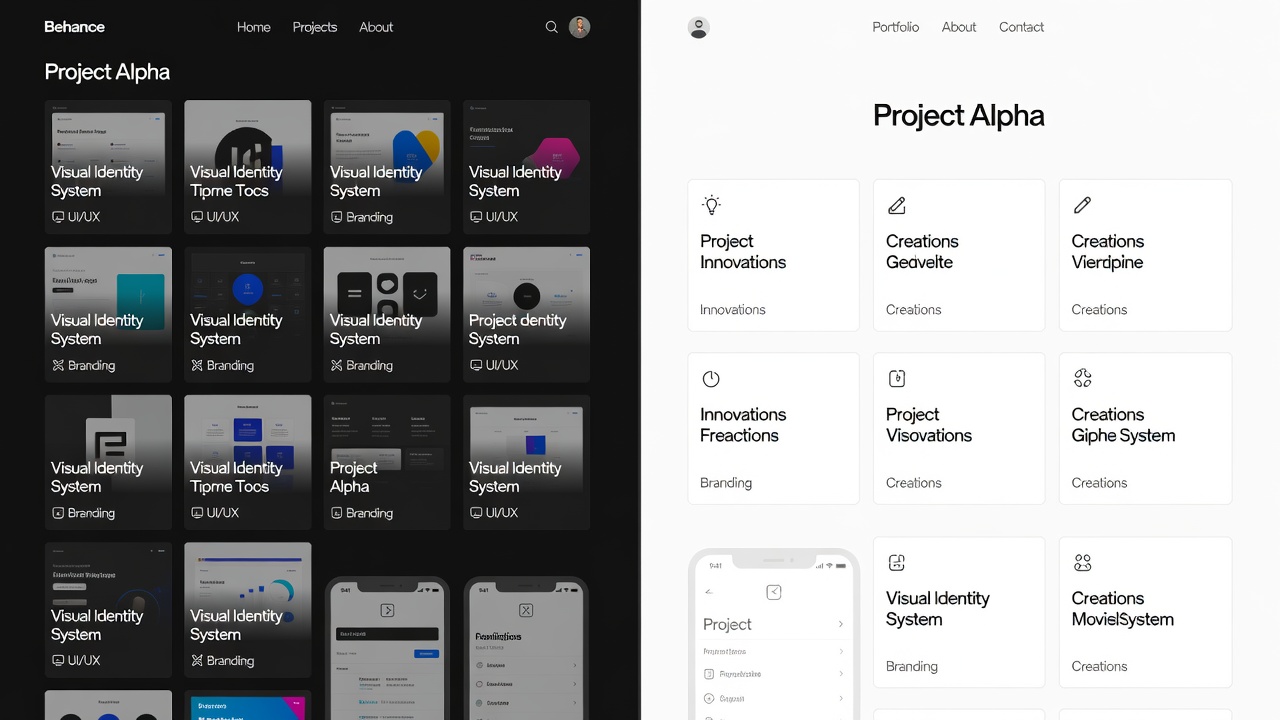
Popular options include Behance for creative fields and WordPress for fully customizable personal sites. Behance excels in visual discovery and community feedback, making it ideal for designers and illustrators. WordPress offers extensive plugins for adding interactive elements like contact forms or embedded videos. Simpler alternatives such as Carrd provide quick single-page setups for those seeking minimal maintenance.
Compare platforms based on ease of use, mobile responsiveness, search engine optimization capabilities, and integration options. Creative professionals may favor Behance for its built-in audience, while developers often prefer GitHub Pages linked to a custom domain. Evaluate your technical comfort level before committing, as some platforms require coding knowledge while others rely on drag-and-drop interfaces.
Step-by-Step Setup Instructions
Follow this detailed process to launch your portfolio efficiently. First, select a platform and create an account using a professional email address. Second, prepare all assets including high-resolution images, concise write-ups, and any supporting files such as PDFs or videos. Third, structure your homepage with a compelling bio that summarizes your background and career aspirations in two to three paragraphs.
Fourth, upload projects one at a time, adding titles, descriptions, and relevant tags. Fifth, optimize every page for mobile viewing by checking layouts on multiple devices. Sixth, incorporate a clear call-to-action such as an email link or LinkedIn connection button. Seventh, run speed tests using free online tools to ensure fast loading. Finally, solicit feedback from peers or mentors before making the site public and sharing the URL across your applications.
Before-and-After Portfolio Examples
A beginner's first attempt might feature disorganized images with minimal explanatory text and inconsistent formatting. Navigation could feel clunky, and projects may lack context about challenges faced or solutions delivered. In contrast, an improved version organizes content chronologically or thematically, incorporates detailed case studies with specific metrics, and uses clean, intuitive navigation menus.
Consider a graphic designer whose initial portfolio showed only final logos without process notes. After revision, each project included mood boards, client briefs, revision rounds, and impact statements such as increased brand recognition. These transformations demonstrate how thoughtful curation turns a basic collection into a persuasive professional narrative.
Free vs. Paid Tools Comparison
Free tools deliver solid foundations suitable for beginners testing the waters, offering templates, basic hosting, and community support. Paid options unlock advanced features including custom domains, detailed visitor analytics, priority support, and greater design flexibility. Assess your immediate needs against long-term growth plans, starting with free tiers to build confidence before upgrading. Many platforms provide seamless migration paths when you decide to expand capabilities.
2026 Trends: Analytics and AI-Generated Summaries
Modern portfolios increasingly embed simple analytics dashboards that display project views, engagement duration, or download counts, providing recruiters with quantifiable evidence of interest. Tools that generate AI-assisted summaries can condense lengthy project descriptions into impactful bullet points highlighting key learnings and outcomes. Experiment with these features to add a contemporary polish, ensuring any automated text receives a personal review for accuracy and tone. This combination of data visualization and efficient summarization aligns with evolving expectations for digital professionalism.
Common Pitfalls and How to Avoid Them
Overloading the portfolio with too many projects dilutes focus and overwhelms visitors. Neglecting mobile optimization risks poor experiences on smartphones, where many recruiters review applications. Failing to update content regularly leaves outdated work visible, signaling stagnation. Ignoring accessibility standards such as alt text for images excludes potential viewers and reduces search performance. Finally, using generic templates without personalization makes your site blend into the background rather than stand out.
Frequently Asked Questions
How many projects should I include?
Focus on quality over quantity—four to six strong examples suffice for most beginners while allowing room for depth in each presentation.
Can I use academic projects?
Yes, especially when they demonstrate relevant skills and include clear outcomes that translate to workplace scenarios.
Is a physical portfolio still useful?
Digital versions dominate most applications, but a printed selection can create strong impressions during in-person interviews or creative pitches.
How often should I update my portfolio?
Review and refresh content quarterly or after completing significant new work to maintain accuracy and relevance.
Should I password-protect my portfolio?
Keep it public for maximum visibility unless sharing sensitive client work that requires restricted access.
What if I have limited experience?
Leverage personal experiments, volunteer contributions, and skill-building exercises to demonstrate initiative and growth potential.
Conclusion
Building a job search portfolio in 2026 empowers beginners to showcase skills powerfully and differentiate their applications. Start today with focused project selection, refine iteratively through testing and feedback, and incorporate emerging trends such as analytics integration. Consistent effort transforms your portfolio into a dynamic asset that supports long-term career advancement.


No comments yet. Be the first!