 Jobboy

Introduction to Freelance Portfolios
In today's gig economy, a strong online portfolio is your digital business card. It showcases your skills, experience, and unique style to potential clients worldwide. Whether you're a graphic designer, writer, developer, or marketer, an impactful portfolio can make the difference between landing that dream project or getting overlooked. This step-by-step guide will walk you through creating one that not only highlights your freelance work but also attracts clients effectively.
Freelancing offers flexibility and freedom, but competition is fierce. According to the , over 57 million Americans freelance, making it essential to stand out. We'll cover choosing the right platform, essential elements, design tips, and proven strategies to draw in clients.
Step 1: Choose the Right Platform for Your Portfolio
The first step in building your portfolio is selecting a platform that aligns with your profession and goals. Not all sites are created equal—some are better for visual artists, while others suit writers or coders.
- Specialized Platforms: For creatives like designers and photographers, sites like or Dribbble are ideal. They allow you to upload high-quality visuals and connect with industry peers.
- General Freelance Sites: Platforms such as Upwork or Fiverr integrate portfolios into profiles, helping you bid on jobs directly.
- Personal Websites: Use WordPress, Squarespace, or Wix for full control. This option is great if you want a custom domain like yourname.com, enhancing professionalism.
Consider your audience: If you're targeting tech clients, GitHub might be perfect for developers. Evaluate costs—free options like Behance work for starters, while premium site builders offer advanced features for $10–30/month. Start simple and scale as your freelance career grows.
Step 2: Include Essential Elements in Your Portfolio
Once your platform is set, focus on what to include. A cluttered or incomplete portfolio repels clients; a curated one builds trust.
Your About Section
Begin with a compelling bio. Introduce yourself, your expertise, and your passion. Keep it concise—200 words max. Highlight years of experience, niche (e.g., "UI/UX design for e-commerce"), and a call-to-action like "Let's collaborate on your next project." Include a professional headshot to humanize your brand.
Showcase Your Best Work
Quality over quantity: Feature 5–10 projects that demonstrate your range. For each, include:
- Project Overview: Describe the challenge, your role, and the outcome. Use metrics like "Increased user engagement by 40%" for impact.
- Visuals and Media: High-res images, videos, or interactive demos. Writers can embed PDFs or links to published articles.
- Client Testimonials: Quotes from past clients add credibility. If you're new, include personal projects or volunteer work.
Organize by category (e.g., web design, branding) for easy navigation. Update regularly to keep it fresh—remove outdated pieces annually.
Contact Information and Resume
Make it easy to reach you with a prominent contact form, email, or link. Optionally, add a downloadable resume tailored to freelancing, emphasizing skills over job history.
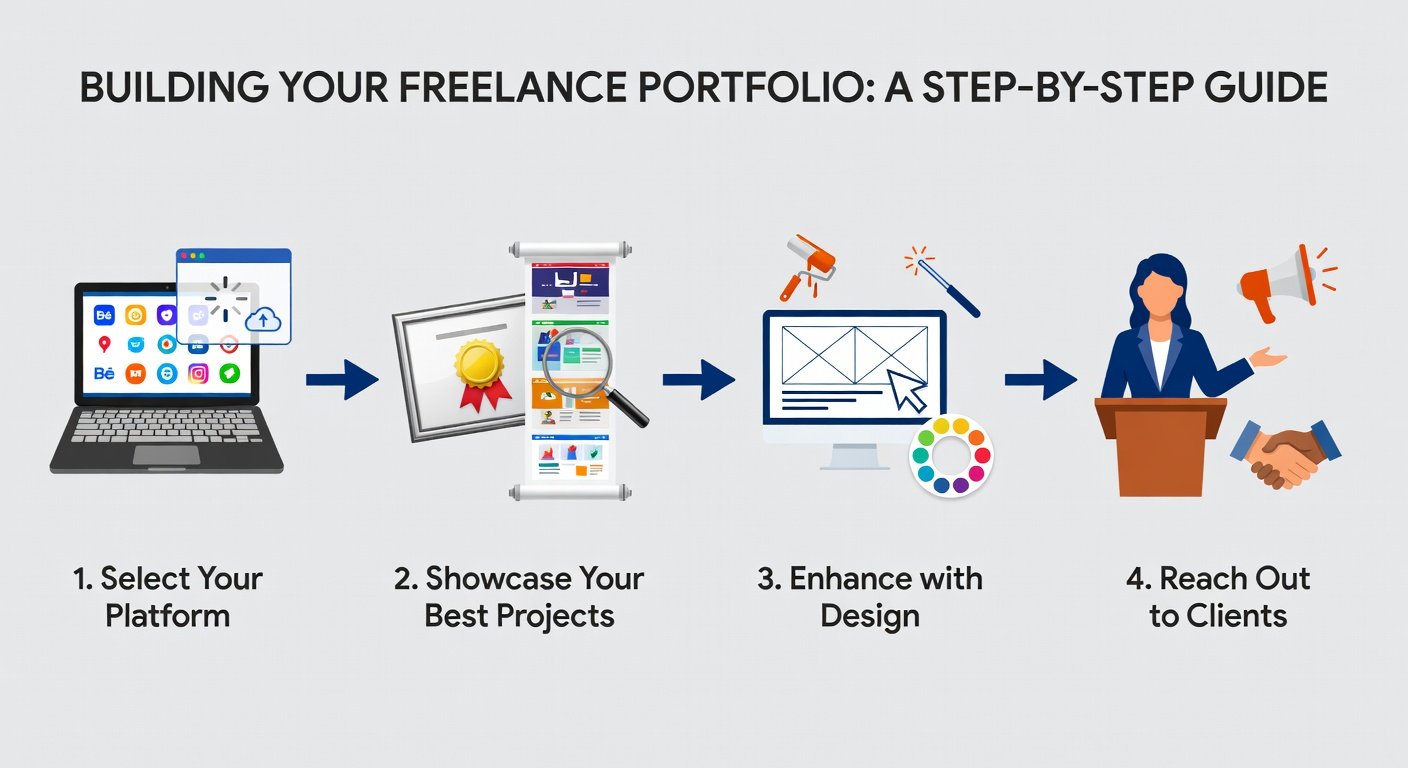
Step 3: Design Tips for a Professional Look
Design isn't just aesthetics; it's functionality. A poorly designed portfolio can undermine your expertise, even if your work is stellar.
- Keep It Clean and Minimalist: Use ample white space, a simple color palette (2–3 colors matching your brand), and readable fonts like sans-serif (e.g., Arial or Open Sans). Avoid clutter—clients should find info in seconds.
- Ensure Mobile Responsiveness: Over 50% of web traffic is mobile. Test your site on phones; platforms like Squarespace handle this automatically.
- Optimize for Speed: Compress images under 100KB each. Slow loading times lose visitors—aim for under 3 seconds per page.
- Incorporate SEO Basics: Use keywords like "freelance graphic designer portfolio" in titles and descriptions. Add alt text to images for accessibility and rankings.
- Add Interactive Elements: For developers, embed live demos; for artists, use hover effects to reveal project details.
Tools like Canva or Adobe XD can help prototype designs if you're not a pro. Remember, your portfolio should reflect your style—bold for creatives, sleek for consultants.
Step 4: Strategies to Attract Potential Clients
Building the portfolio is half the battle; promoting it is key to landing gigs.
Leverage Social Media and
Share your portfolio on , Twitter, and Instagram. Post project teasers with links, tagging relevant hashtags like #FreelanceDesigner. Join communities on Reddit (r/freelance) or Facebook groups to network. Attend virtual events via platforms like Meetup to connect with clients.
Optimize for Engines
To get discovered organically, research keywords using free tools like Google Keyword Planner. Include them naturally in your content. Submit your site to Google Console for indexing. Aim for backlinks by guest posting on industry blogs.
Run Targeted Outreach
Email potential clients with personalized pitches: "I saw your site and have ideas to enhance it—check my portfolio for similar work." Track opens with tools like Mailchimp. Offer free audits or consultations to hook interest.
Analyze and Iterate
Use Google Analytics to track visitor behavior. See which projects get the most views and refine accordingly. A/B test layouts—does a grid or list format convert better? Solicit feedback from peers to improve.
Consistency pays off: Update monthly and engage weekly on social media. Over time, this builds a pipeline of leads.
Common Mistakes to Avoid
Steer clear of these pitfalls:
- Overloading with too many projects—curate ruthlessly.
- Ignoring mobile users—always test.
- Forgetting calls-to-action—guide visitors to contact you.
- Neglecting updates—stale portfolios signal inactivity.
By avoiding these, your portfolio becomes a client magnet.
Conclusion
Creating an impactful freelance portfolio is an investment in your career. Follow these steps—choose a platform, add essentials, design thoughtfully, and promote strategically—and you'll showcase your work effectively. Start small, iterate based on feedback, and watch opportunities flow. Your next big client is just a click away.


No comments yet. Be the first!