 Jobboy

Introduction
Phone screens remain a critical first filter in the hiring process for 2026, often determining whether candidates advance to video or in-person rounds. Unlike broader interview guides, this focused how-to equips you with actionable strategies tailored to voice-only formats. From optimizing your setup to scripting responses and recovering from technical hiccups, these insights address the unique demands of initial recruiter calls. Many job seekers overlook phone screens, treating them as casual chats, but they are high-stakes evaluations of communication, enthusiasm, and basic qualifications. Mastering them can dramatically improve your chances in a competitive market where recruiters may speak with dozens of applicants daily before narrowing the pool.
Understanding the nuances of this format sets you apart early. Preparation involves not just rehearsing answers but also mastering logistics that video interviews do not require, such as pure vocal projection and seamless note integration without visual feedback.
What Makes Phone Screens Different from Video or In-Person Interviews
Phone interviews strip away visual cues, forcing reliance on tone, pacing, and clarity. Recruiters assess energy through voice alone, making pauses or filler words more noticeable. This format also allows for note-taking without distraction, but it demands stronger verbal articulation to convey professionalism and fit. In contrast to video calls, there is no body language to reinforce answers, so preparation must emphasize concise storytelling and active listening. Time zones add complexity if the call spans regions, requiring precise scheduling confirmation and awareness of local business hours to avoid miscommunications.
Video formats let you read facial expressions and adjust in real time, while in-person meetings add physical presence and handshake impressions. On the phone, every word carries extra weight. Candidates who excel here demonstrate adaptability by compensating with richer descriptive language and varied vocal inflection to maintain engagement throughout the conversation.
Optimal Tech Setup and Environment
Choose a quiet, distraction-free space with reliable cell service or a landline. Test your connection 30 minutes prior using a practice call to a friend. Use a headset for hands-free note-taking while maintaining good posture to project confidence. Avoid speakerphone, which can introduce echo or background noise. Charge devices fully and have a backup phone number ready. Professional environments like a home office corner outperform public spaces where interruptions are likely.
Consider acoustics: hard surfaces can create echo, so opt for a carpeted room or add soft furnishings if possible. Position your phone at ear level or use quality earbuds with a microphone. Silence all other devices and close windows to block external sounds. If using Wi-Fi calling, verify signal strength in advance and keep a charger plugged in throughout the call to prevent sudden power loss mid-discussion.
Voice-Only Communication Strategies
Smile while speaking to naturally lift your tone and sound approachable. Speak at a measured pace, enunciating clearly without rushing. Use verbal affirmations like "I understand" to show engagement since nods are invisible. Structure answers with the STAR method (Situation, Task, Action, Result) adapted for brevity. Pause briefly before responding to organize thoughts, avoiding "um" or "like." Practice recording yourself to refine delivery.
Build rapport by mirroring the interviewer's energy level and speed. If they speak slowly and deliberately, match that cadence. Incorporate transitional phrases such as "Building on that point" to guide the conversation smoothly. When discussing achievements, quantify results verbally with phrases like "resulting in a 25 percent increase" to paint vivid pictures without visuals. Rehearse these techniques multiple times to make them second nature during the actual call.
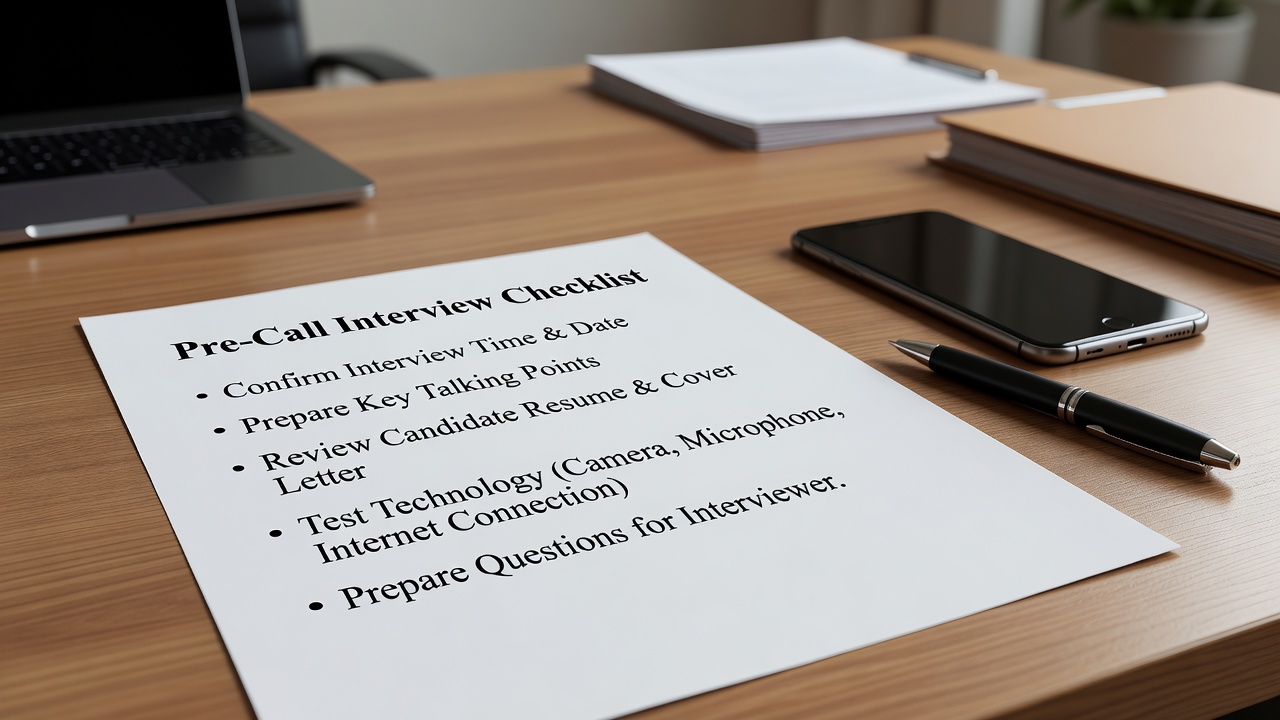
Pre-Call Checklist
- Confirm date, time, and interviewer details 24 hours ahead.
- Research the company and role using resources like Indeed.
- Prepare 3-5 questions about the position and team.
- Review your resume for quick reference on achievements.
- Set reminders and silence notifications on other devices.
- Have water nearby and tissues for any coughs.
- Test your phone's battery and signal strength in the chosen location.
- Print or open a digital copy of the job description for easy reference.
Common Phone Screen Questions with Scripted Examples
Recruiters often start with "Tell me about yourself." A strong response: "I'm a marketing specialist with five years of experience driving campaigns that increased engagement by 40%. Currently at XYZ Corp, I led a team project that exceeded targets. I'm excited about this role because it aligns with my passion for data-driven strategies." Another frequent query is "Why are you interested in this position?" Script: "This opportunity appeals to me due to your company's innovative approach in sustainable tech, as highlighted on your site. My background in project management would allow me to contribute immediately to cross-functional initiatives."
Behavioral questions like "Describe a challenge you overcame" benefit from specific, quantified examples to demonstrate impact. Example answer: "In my previous role, our team faced a tight deadline after a key member left. I reorganized workflows, delegated tasks based on strengths, and we delivered the project two days early, improving client satisfaction scores." Prepare variations for "What are your strengths?" and "Where do you see yourself in five years?" to ensure responses feel natural yet targeted.
Handling Time-Zone, Note-Taking, and Dropped Connection Challenges
For time zones, use world clock apps and confirm the caller's location in advance. Note-taking works best with bullet points on paper or a muted laptop to avoid typing sounds. If the call drops, immediately redial or text the interviewer: "Apologies for the disconnection—calling back now." Have a secondary number prepared and remain calm to show resilience. Practice these recovery lines beforehand so they flow naturally under pressure.
When note-taking, focus on key points rather than full sentences to stay present in the conversation. For international time differences, double-check daylight saving adjustments if applicable. In case of repeated drops, politely suggest rescheduling while expressing continued interest, turning a potential negative into a demonstration of professionalism.
Step-by-Step Prep Timeline
- One week out: Research company deeply and outline key stories.
- Three days out: Practice answers aloud and refine tech setup.
- Day before: Review checklist and get a good night's sleep.
- One hour before: Warm up voice with light conversation and review notes.
Each step builds confidence progressively. Early research prevents last-minute scrambling, while final-day rest ensures mental sharpness. Incorporate mock calls with a mentor during the three-day mark to simulate real pressure and receive feedback on vocal delivery.
Real Candidate Case Studies
One software engineer candidate aced a phone screen by preparing concise examples of coding challenges, advancing to onsite interviews at three firms. Another applicant recovered from a dropped call by following up professionally, securing the role despite the mishap. A third candidate, a recent graduate, used the extra preparation time to research industry trends via Glassdoor and impressed the recruiter with thoughtful questions about company culture, leading to a fast-track to the next round.
Common Mistakes to Avoid
Many candidates fail by multitasking during the call or speaking too quickly due to nerves. Others neglect to ask questions, appearing disinterested. Avoid eating, drinking loudly, or allowing pets or family members to interrupt. Over-relying on notes can make answers sound scripted; instead, internalize key points so delivery remains conversational. Finally, forgetting to follow up after the call misses an opportunity to reinforce enthusiasm.
FAQ
How long do phone screens typically last? Most run 15-30 minutes, focusing on basics rather than deep technical dives.
Should I send a thank-you note after? Yes, a brief email reinforces interest and professionalism.
What if I don't have the answer to a question? Admit it honestly and pivot to related experience or willingness to learn.
Can I use notes during the call? Yes, but keep them concise and organized to avoid rustling sounds or long silences.
Conclusion
Phone screen mastery in 2026 hinges on deliberate preparation across setup, communication, and contingency planning. By following these targeted strategies, candidates can turn initial calls into strong stepping stones toward offer letters. Consistent practice transforms these filters from obstacles into opportunities for standout first impressions. Apply these techniques methodically, and you will approach every phone screen with confidence and clarity.


No comments yet. Be the first!